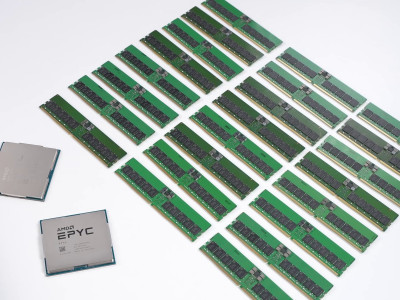
In short. The choice between AMD EPYC and Intel Xeon today comes down to three things, none of them "which is faster": the licensing model (per-socket favours EPYC's density, per-core favours a high-clock Xeon), the nature of the workload (single-threaded business applications against dense virtualisation), and cluster uniformity — live migration between Intel and AMD nodes is not possible. In the ITsmart catalogue a single-socket 16-core EPYC 7313 costs 14,376,470 UZS, while a comparable Xeon Gold 6226R is 14,149,473 UZS.
Processors with prices and socket compatibility → — which chip fits your platform and what it costs.
The "Intel or AMD" question stopped being obvious in the server segment several years ago. Both platforms appear across every line — HPE ProLiant, Dell PowerEdge, Lenovo — and the choice follows the workload rather than habit.
Where AMD EPYC wins
- Core density. Far more cores per socket: up to 96 on Genoa and up to 192 on Turin. Where Intel needs two servers, EPYC often needs one.
- Single-socket configurations. An underrated scenario: a single-socket EPYC matches a previous-generation dual-processor system on cores, memory channels and PCIe lanes, giving a cheaper server, lower power draw and lower per-socket licence costs.
- Memory channels. Twelve per socket against eight on 4th and 5th generation Xeon Scalable, which shows on bandwidth-bound work: analytics, inference, large databases.
- PCIe lanes. More of them, which matters for configurations with many NVMe drives and network adapters.
- Cache. Some lines reach 384 to 512 MB of L3; where the working set fits in cache the difference is measured in multiples.
- Cost per core. Traditionally the better value on that metric.
Where Intel Xeon wins
- Ecosystem maturity. The widest compatibility list with enterprise software, well-tested drivers and predictable behaviour across hypervisor updates.
- Built-in accelerators. QAT, DSA and IAA offload encryption, memory operations and compression — provided the software knows how to use them.
- High-clock models. For applications bound by single-thread speed — a large share of accounting and ERP systems — parts such as the Gold 6248R at 3.0 to 4.0 GHz (24,440,000 UZS) or the Gold 5317 at 3.0 to 3.6 GHz (14,376,470 UZS) remain a strong argument.
- Flexibility of the Xeon 6 line. The split into performance and efficient cores allows a closer match to the workload profile.
- Compatibility with the existing fleet. A uniform cluster is simpler to operate; mixing platforms restricts live migration.
Generations and what is in the catalogue
| Platform | Generation | Cores per socket | Memory | Socket |
|---|---|---|---|---|
| Intel Xeon Scalable 2 | Cascade Lake | up to 28 | 6 channels DDR4-2933 | FCLGA3647 |
| Intel Xeon Scalable 3 | Ice Lake | up to 40 | 8 channels DDR4-3200 | FCLGA4189 |
| Intel Xeon Scalable 4–5 | Sapphire / Emerald Rapids | up to 64 | 8 channels DDR5 | FCLGA4677 |
| Intel Xeon 6 | Granite Rapids | up to 128 P-cores | 8 or 12 channels DDR5 | LGA4710 / LGA7529 |
| AMD EPYC 7003 | Milan | up to 64 | 8 channels DDR4-3200 | SP3 |
| AMD EPYC 9004 | Genoa | up to 96 | 12 channels DDR5 | SP5 |
| AMD EPYC 9005 | Turin | up to 192 | 12 channels DDR5 | SP5 |
From AMD the catalogue stocks the EPYC 7313 — 16 cores at 3.0 to 3.7 GHz with 128 MB of L3 on socket SP3 (14,376,470 UZS). The Intel range is broader, from the Xeon E-2224 at 2,156,470 UZS to the 32-core Platinum 8358 at 50,317,647 UZS. The full list with prices and socket mapping is in the server processors guide.
The factor people forget: licences
- Per-socket licensing favours the highest core count, and EPYC delivers a direct saving: one licence over twice the compute.
- Per-core licensing reverses it. Extra cores become expensive and fewer high-clock cores win. VMware also applies a 16-core minimum per processor, so an eight-core chip is billed as sixteen.
- Windows Server sells in 16-core packs with a minimum of 16 per server and 8 per processor, so a dense 64-core EPYC needs four packs.
Cost the whole solution rather than the hardware; over three years the difference can be a multiple. The detailed calculation is in Proxmox or VMware in 2026.
NUMA, and why more cores is not always faster
On both platforms a processor is divided into NUMA nodes: cores reach their own portion of memory faster. EPYC's chiplet layout makes this more pronounced — with a careless setup a virtual machine can be served memory from a remote node and lose performance for no visible reason.
In practice: do not size virtual machines wider than one NUMA node without need; populate memory symmetrically across every channel (see the server memory guide); and check NPS (Nodes Per Socket) on AMD and Sub-NUMA Clustering on Intel in the BIOS, since they define how the processor presents itself to the hypervisor.
Recommendations by workload
| Workload | Sensible choice |
|---|---|
| dense virtualisation, per-socket licences | AMD EPYC with the maximum core count |
| ERP and accounting systems, single-threaded applications | Intel Xeon with a high clock |
| databases licensed per core | fewer cores at higher clock — either platform, decided by licence cost |
| container platforms, microservices | both; Xeon 6 with E-cores or a dense EPYC |
| analytics and inference bound by memory | AMD EPYC with twelve channels, or Xeon 6 in the 6900P series |
| expanding an existing cluster | the platform already installed, for uniformity |
| a compact server for one service | single-socket EPYC is often the best value |
Compatibility and migration
Claims that "AMD is less well supported" are out of date: every leading hypervisor and enterprise operating system runs on EPYC as standard. There is one real constraint — processors inside one virtualisation cluster must come from the same vendor, because live migration between Intel and AMD nodes is impossible with differing instruction sets.
Hence the migration pattern: a new cluster is built entirely on the new platform and the old one is drained gradually, moving machines with downtime or replication. Plan it in advance together with the maintenance window and a hypervisor compatibility check — the replacement order is covered in upgrading the server fleet.
What to check before buying
- How your hypervisor and database are licensed — per socket or per core — and what minimums apply.
- The workload profile: bound by a single thread, by total cores or by memory.
- Which platform the cluster already runs: mixing is not an option.
- Whether the chosen processor is supported by your hypervisor version and server platform (HPE and Dell compatibility lists).
- Whether power and cooling suffice: top EPYC and Xeon parts reach 400 to 500 W per socket and the rack notices.
We will build configurations on both platforms for your workload and compare total cost including licences — write to us. Platforms are in the Servers section and processors with prices here.
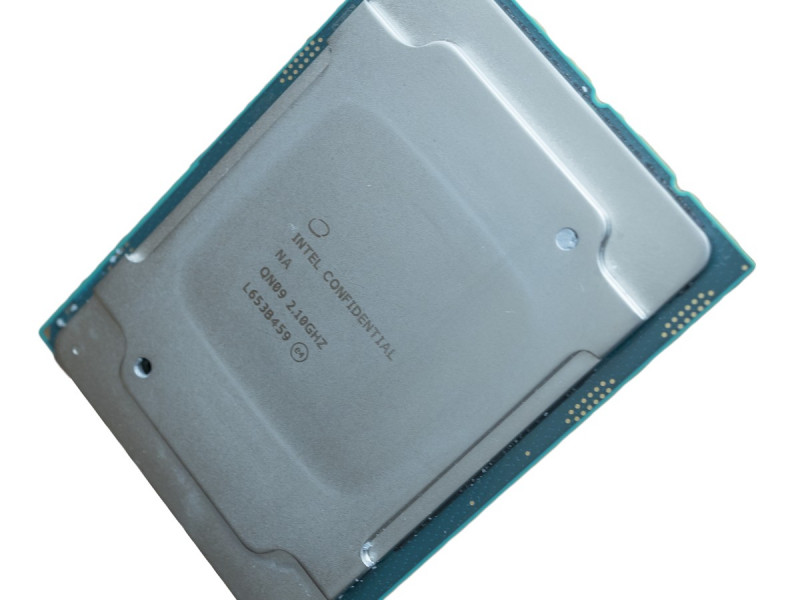
Illustration: PantheraLeo1359531, Wikimedia Commons (CC BY 4.0).
Related guides and tools: Virtualisation server, Server configurator.
Questions and answers
Can Intel and AMD servers be mixed in one cluster?
Physically yes, they will run. But live migration of virtual machines between nodes from different vendors is not possible: the instruction sets differ and the hypervisor cannot guarantee a correct state transfer. So a cluster is built from nodes of one platform, and a transition means building a new cluster alongside.
Which is better for ERP systems: EPYC or Xeon?
Single-core speed matters more than core count for that class of software. A Xeon at 3 GHz and above — a Gold 6248R or 5317, for example — usually responds better than an EPYC with twice as many slower cores. If the same server also runs virtualisation and other services, the calculation changes.
Is EPYC really cheaper?
Per core, generally yes. Per solution, you have to count licences: under per-core licensing a dense EPYC can cost more than a Xeon with fewer fast cores. Compare configurations together with software over three years.
Are Intel's built-in accelerators worth having?
Only if your software uses them. QAT accelerates encryption and compression in supporting products, DSA handles memory operations and IAA compresses data in databases. If the stack does not support them they deliver nothing, and a processor should not be chosen for their sake.