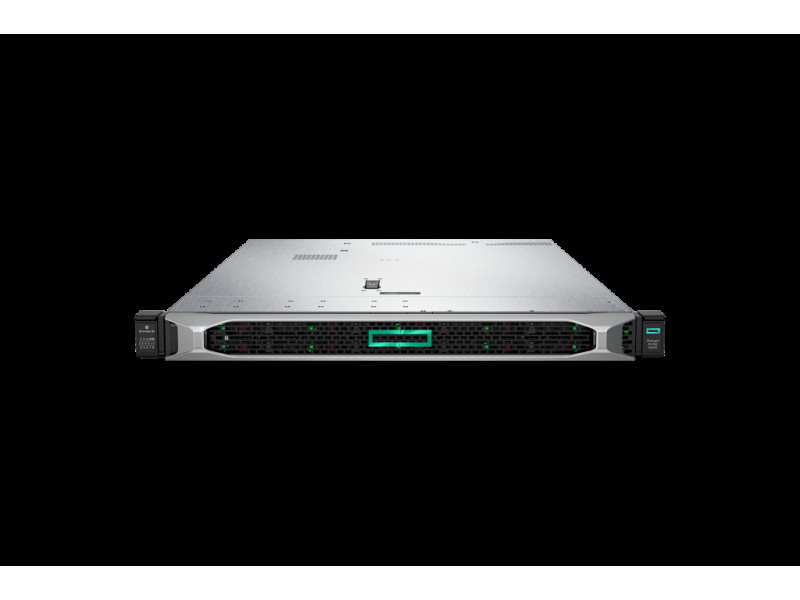
In short. Four signs say it is time to move from Gen10 to Gen11 or Gen12: vendor support is ending, memory slots are full, per-core licences cost more than the hardware, or new workloads need NVMe and accelerators that PCIe 3.0 cannot feed. DDR4 does not move to DDR5, iLO and iDRAC licences are bought again, while drives and PCIe cards usually travel. The replacement pays for itself when five old dual-socket servers consolidate into two new ones. Typical virtualisation is well served by Gen11; Gen12 earns its place for Xeon 6 with up to 144 cores and 36 EDSFF bays.
A working server is rarely replaced because a new generation appeared. The reason is usually more specific: memory slots ran out, the vendor announced an end-of-support date, or the licence bill grew faster than the workload. Here is what actually changes between generations, what can be carried over from the old machine, what has to be bought again, and how to recognise that the moment has come.
What changed between generations
| Parameter | Gen10 | Gen11 | Gen12 |
|---|---|---|---|
| Memory | DDR4 | DDR5 up to 5600 MT/s | DDR5 up to 6400 MT/s |
| Expansion bus | PCIe 3.0 | PCIe 5.0 | PCIe 5.0 |
| Processors | Xeon Scalable 1st and 2nd generation | Xeon Scalable 4th and 5th generation, up to 64 cores | Xeon 6, up to 144 cores |
| EDSFF drives | — | up to 12 | up to 36 |
| Management | iLO 5 | iLO 6 | iLO 7 |
The practical meaning of those rows is not in the numbers but in the compatibility boundary between Gen10 and what follows: different memory, a different bus, a different management controller. Dell looks the same: 15th generation platforms such as the PowerEdge R750 use DDR4 and PCIe 4.0, while the 16th generation R760 moved to DDR5 and PCIe 5.0.
What carries over and what does not
Memory — no. DDR4 will not physically fit DDR5 slots. It is the most expensive part people expect to reuse and the most common disappointment when planning the budget. The details are in our server memory guide.
SAS and SATA drives — usually yes, with a caveat about carriers: the new generation has its own, and a drive cannot travel in its old carrier. Order carriers separately, and in the right quantity from the start.
NVMe — it depends on the form factor. U.2 drives move across, but the EDSFF E3.S bays, of which Gen12 offers up to thirty-six, use a different physical connector and different drives.
Expansion cards — as a rule, yes. PCIe is backward compatible, so network adapters and HBAs usually work. Check two things: whether the card appears in the new server's compatibility list, and whether it becomes the bottleneck — a PCIe 3.0 adapter in a Gen5 slot runs at its own speed, not the slot's.
Management licences — no. iLO Advanced and iDRAC Enterprise are tied to a specific server. The licence is bought again for the new machine, and it is the line most often missing from the estimate.
Four signs that it is time
Service support is ending. After that date the vendor stops issuing microcode updates and security patches, and the service contract cannot be renewed. How end-of-sale and end-of-support dates work is covered in warranty and support levels.
Every slot is full. If memory is at maximum and the virtual machines are bound by it, there is nothing left to add — only the platform can change.
Licences cost more than the hardware. Count them together: on old processors with low core counts the licensing minimums eat the budget while less useful work gets done. The detailed calculation is in choosing processors for virtualisation.
Workloads appeared that the platform cannot feed. Inference accelerators, dense NVMe pools, memory bandwidth requirements — those are precisely why the bus changed and DDR5 arrived. On PCIe 3.0 a current card runs at half strength.
When not to replace
The load is stable, vendor support runs for another couple of years, and the servers have free memory slots and drive bays — in that situation growing the existing machines is cheaper. Adding memory and drives costs a fraction of a new platform and the users see the same result.
A separate case is the upgrade planned "just in case", with no calculation. A new generation's specification reads well, but if the current servers run at a third of capacity the new platform will simply idle more efficiently.
Consolidation: where the upgrade genuinely pays
The most convincing scenario looks like this: five old dual-socket servers become two new ones. The saving lands on several lines at once — fewer licences, fewer rack units, fewer switch ports, a lower electricity and cooling bill. On that arithmetic the project pays back within a couple of years, and it is the only case where replacing working equipment is justified economically rather than only technically.
To do the maths honestly you need three numbers: real processor and memory utilisation on the current nodes, the licence cost for the old and new configurations, and power consumption. Take the first from a month of monitoring data, calculate the second from core counts, and take the third from the specifications adjusted for actual load.
A replacement order that keeps everything running
Compatibility first. Check that your hypervisor version supports the new platform: VMware and Hyper-V publish certified hardware lists, and an older ESXi build may simply not see a new controller or network card. Upgrading the hypervisor is a separate project, best done before rather than during the migration.
Then firmware. A new server ships with whatever firmware was current when it was built, and that is almost always behind. Microcode, BMC and controller updates happen before production, because afterwards there will be no window for them.
Then one node. Add the first new machine to the cluster and keep part of the load on it for a week. That is how driver and configuration incompatibilities surface — they never show up on a test rig.
And only then the rest. Retire old nodes one at a time, moving virtual machines by live migration. Do not rush to strip the last old server: leave it powered off in the rack for a couple of weeks as insurance.
Gen11 or Gen12
For typical virtualisation, branch consolidation and business applications, Gen11 is enough: the platform is mature, cheaper, and carries the same PCIe 5.0 bus with plenty of memory headroom. Gen12 makes sense where very high core density, many EDSFF NVMe drives or a long lifecycle with accelerator workloads are required. Ready builds with prices are in the ProLiant Gen11 and PowerEdge guides.
To size the replacement for specific machines and cost it with licences, write to us. Current platforms are in the Servers section.
Related guides and tools: Virtualisation server, Server configurator.
Questions and answers
Can new processors go into an old server?
Within one generation, sometimes yes, if the board supports the socket and a suitable BIOS exists. Between generations, no: socket, chipset and memory type all change. A processor upgrade within a generation makes sense when cores specifically are short while memory and drives are fine.
What should be done with the old servers afterwards?
Sensible options: a cold standby against failure, a test environment, moving non-critical services such as file storage or video surveillance, or a backup target. Selling is worth it while the platform is still supported by the vendor — after end of support its value falls.
How long does a migration take?
Technically, moving virtual machines between cluster nodes happens without stopping services. Most of the time goes on preparation: compatibility checks, firmware updates, network and storage configuration. Plan for several days to a couple of weeks on a mid-sized cluster rather than a weekend.