In short. Databases, ERP and 1C run on RAID 10, archives and backups on RAID 6, and RAID 5 is not used on mechanical drives of 8 TB and above. The write penalty is 2, 4 and 6 operations for RAID 10, 5 and 6; eight 8 TB drives leave 32, 56 and 48 TB usable. Rebuilding a 16 to 20 TB drive takes more than a day, and RAID 5 is defenceless against a second failure for that whole window. On SSDs RAID 5 is acceptable.
The RAID level is usually chosen by default: whatever the integrator proposed, or whatever the previous array used. Yet this single decision sets three things — how much usable space survives from the drives you paid for, how fast writes will be, and whether the array survives a second drive failure during a rebuild. Here is the reasoning, without textbook formulas but with numbers.
The three levels that actually appear in practice
RAID 5 spreads data and parity across all drives, with the capacity of one drive consumed by parity. Eight 8 TB drives leave 56 TB usable. The array survives one failed drive.
RAID 6 is the same with dual parity: two drives' worth of capacity is lost, but the array survives two simultaneous failures. The same eight drives leave 48 TB.
RAID 10 is mirrored pairs joined in a stripe. Half the capacity goes to the mirrors: eight drives leave 32 TB. The array survives one failure in each pair — but not both drives of one pair.
The cost of writing: why RAID 10 is faster
The parameter people forget is the write penalty. To write a single block the controller performs a different number of disk operations depending on the level:
| Level | Operations per write | Usable capacity from 8 × 8 TB | Survives |
|---|---|---|---|
| RAID 10 | 2 | 32 TB (50 %) | one drive in each pair |
| RAID 5 | 4 | 56 TB (87.5 %) | one drive |
| RAID 6 | 6 | 48 TB (75 %) | two drives |
The threefold gap between RAID 10 and RAID 6 on writes is not theory; it is what monitoring shows under a database or an active virtualisation load. On reads the levels differ little, so for archives and file shares that are written rarely and read often the write penalty barely matters. For databases, VDI and any write-heavy workload it is the deciding factor.
The real danger of RAID 5 is the rebuild
When a drive in a RAID 5 group fails, the array starts rebuilding onto a spare. To reconstruct the data the controller must read every block on every remaining drive. That is where two risks appear, and both grow with drive capacity.
Time. Rebuilding a 16 to 20 TB drive in a busy array takes a day or more. For that entire window the array runs without redundancy: a second failure means losing the whole group.
Read errors. Enterprise drives carry a specified unrecoverable read error rate, typically one sector per 10^15 bits read for NL-SAS and per 10^14 for SATA. Rebuilding an array of large drives reads a volume approaching those figures, so meeting a bad sector exactly when redundancy is gone stops being a theoretical concern.
The practical conclusion is simple: on mechanical drives of 8 TB and above, RAID 5 is not used. The standard is RAID 6 or a vendor equivalent with dual parity, and RAID 10 for critical workloads.
Flash changes the arithmetic
With solid state drives the maths is different. An SSD rebuild runs several times faster — there is no mechanics and access time does not depend on where the data sits. The vulnerability window is shorter, and RAID 5 on SSDs is no longer reckless, especially at moderate capacities.
A different concern appears instead: write endurance. The write penalty of RAID 5 and RAID 6 means the drives absorb more physical operations than the application sends. On read-intensive drives with modest endurance that shortens service life. For write-heavy workloads, choose either higher-endurance drives or RAID 10 with its minimal penalty.
Modern arrays are a separate story, because many no longer offer classic levels at all. Flash systems such as Dell PowerStore protect data with a distributed scheme at pool level: spare space is spread across every drive and the rebuild runs in parallel onto all of them rather than onto one spare. That cuts recovery time sharply. There is no level to configure by hand, and no way to do it — the platform decides.
What to choose for a given workload
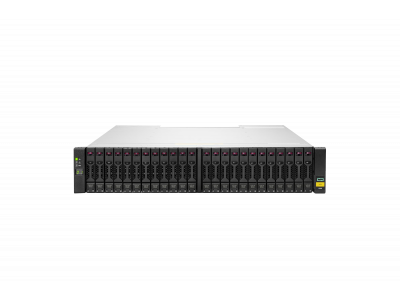
File archives, video surveillance, backups on large drives. RAID 6. Writes are rare, capacity matters, and a second failure during a rebuild is a realistic scenario. On arrays such as PowerVault ME5012 or HPE MSA 1060 with LFF drives it is the default.
Databases, ERP and 1C with heavy writes. RAID 10. Half the capacity is the price of predictable latency and the lowest write penalty. Trying to save with RAID 5 usually ends with buying more drives six months later and rebuilding the array anyway.
A virtualisation cluster with mixed load. Usually RAID 6 on the capacity tier plus RAID 10 or a flash pool for demanding machines. Splitting by storage tier works better than hunting for one compromise level for everything.
Anything landing on all-flash NVMe. The platform picks the scheme; the administrator's job is to size capacity correctly with data reduction in mind and to leave spare space.
What matters more for reliability than the RAID level
A spare drive in the configuration. A hot spare belongs in the array from day one. A rebuild that starts immediately after a failure and a rebuild that waits a week for delivery are entirely different risk scenarios.
Monitoring and alerts. An array that lost a drive a month ago without anyone noticing is a classic cause of data loss. Email notifications cost nothing to configure and close the main risk.
Backups. RAID of any level protects against hardware failure, not against a deleted file, ransomware or an administrator's mistake. Copies belong on another system, and ideally also on media that production cannot write to.
To size an array with usable capacity calculated for the level you choose, write to us. Available systems are in the storage section, HPE MSA builds with prices are collected in the MSA 2060 and 2062 guide, and how to pick the platform itself is covered in the storage selection guide.
Related guides and tools: RAID calculator, File server and backup server, RAID controller reference, Server drives and RAID controllers.
Questions and answers
Can the RAID level be changed without losing data?
Some arrays support level migration, but it runs for a long time and loads the system heavily; others require recreating the group and restoring from a copy. The level has to be planned before the drives are bought — reworking it costs more than buying the right drives in the first place.
What is the minimum number of drives?
RAID 5 needs three drives, RAID 6 four, RAID 10 four and always an even number. In practice the question is not the minimum but a sensible group size: very wide groups on large drives stretch the rebuild and raise the risk.
What is spare space instead of a spare drive?
Modern systems reserve part of the capacity on every drive rather than dedicating one. After a failure the recovery runs in parallel onto all remaining drives instead of sequentially onto one, and takes several times less time. That is what makes large flash pools practical.