In short. Access points are counted by active devices, not by floor area: up to 25 clients on a 2x2 unit and up to 50 on a 4x4, so an office of 40 people needs at least three or four. Wi-Fi 6E adds the 6 GHz band, but paying for a third radio only makes sense where the airwaves are congested and the band is permitted by the regulator; otherwise a 6E unit simply works as Wi-Fi 6. Small offices are well served by Aruba AP21 and AP25; where a FortiGate guards the perimeter, take a FortiAP 231G or 431G.
The most common mistake when buying office Wi-Fi is counting access points by floor area. "A hundred square metres, one will do" is how a home router is chosen, not a network carrying fifty laptops, phones and cameras at once. Device density matters more than area: an access point that reaches the far corner will still choke if forty clients land on it. Here is how to choose on the merits.
How the generations differ
Wi-Fi 5 (802.11ac) works only on 5 GHz (plus 2.4 GHz on the second radio) and serves clients in turn. With a dozen active devices per access point that is already noticeable.
Wi-Fi 6 (802.11ax) added two things that matter specifically in an office. OFDMA splits the radio channel into sub-channels, so one access point serves several devices within the same time slot instead of strictly one after another — and the gain grows with the client count. Target Wake Time lets a device sleep between transmissions, which noticeably extends battery life on phones, tablets and sensors.
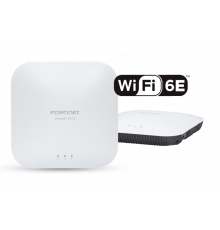
Wi-Fi 6E is the same 802.11ax with access to the additional 6 GHz band. The advantage is not raw speed but clean air: on 2.4 and 5 GHz you share the spectrum with every neighbour in the business centre, while 6 GHz is still nearly empty and offers wide channels without overlap.
Important: the 6 GHz band and permissions
Before buying hardware for the sake of 6 GHz, check its regulatory status. Countries opened this band differently: in some it is licence-exempt indoors only, in others part of it is reserved for mobile networks, and elsewhere its use requires a separate permit. The current status for Uzbekistan is confirmed with the State Commission on Radio Frequencies.
The practical conclusion: a Wi-Fi 6E access point is not wasted even if 6 GHz cannot be used — it remains a full Wi-Fi 6 unit on 2.4 and 5 GHz. But paying extra for the third radio only pays off when you are able to switch it on.
How many access points you need
Count from the number of simultaneously active devices, not from square metres. Reference points for office traffic:
- up to 25 active devices per access point — comfortable work with documents, mail and video calls;
- 25 to 50 — the working ceiling for entry-level 2x2 units, where video conferencing starts to stutter;
- above 50 — you need a 4x4 unit, or more access points at lower power with a sensible channel plan.
Budget two or three devices per employee: laptop, phone, sometimes a tablet or a headset. For an office of 40 people that is 80 to 120 clients, so three or four access points at minimum rather than one powerful unit. Meeting rooms are counted separately: ten square metres there can hold a dozen devices plus a video conferencing system.
Transmit power is best left moderate. An access point reaches further than it can hear a phone reply, so clients cling to a distant unit instead of the near one. In dense offices more access points at lower power is the correct answer.
What is in the catalogue
| Model | Generation | Radios | Best for |
|---|---|---|---|
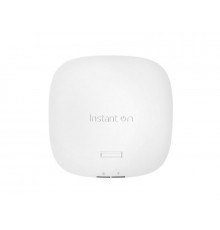
| Aruba Instant On AP21 | Wi-Fi 6 | 2x2 | a small office, separate rooms, up to 25 devices |
| Aruba Instant On AP22 | Wi-Fi 6 | 2x2:2 | open plan space in a small office |
| Aruba Instant On AP25 | Wi-Fi 6 | 4x4 | high density: open plan floors, meeting rooms |
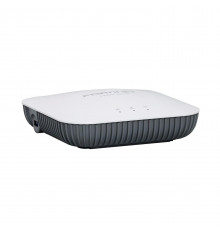
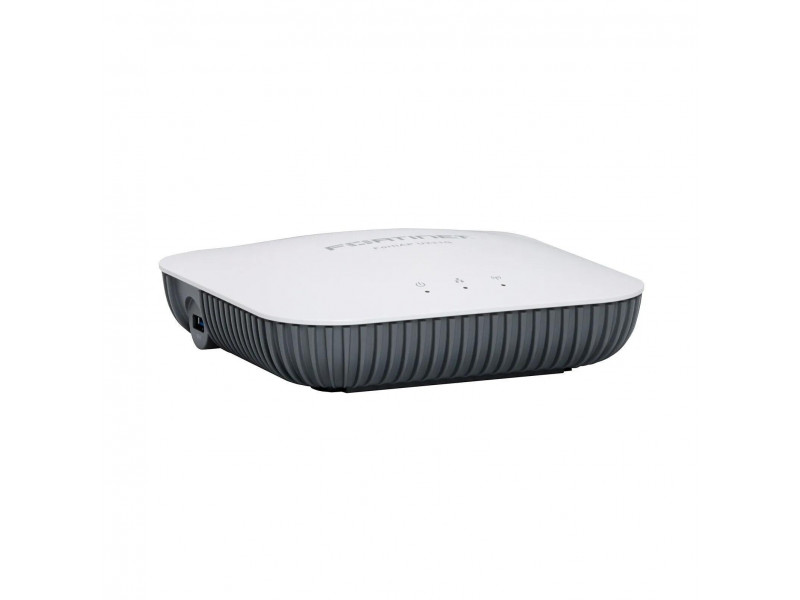
| FortiAP 231G | Wi-Fi 6E | 2x2 per radio | an office managed from a FortiGate, three bands |
| FortiAP 431G | Wi-Fi 6E | 4x4 | dense scenarios, conference halls |
| FortiAP 221E | Wi-Fi 5 | two radios | budget coverage for undemanding tasks |
Outdoors — canopies, car parks, warehouse yards — you need a hardened unit such as the Aruba Instant On AP17. An ordinary indoor access point mounted under an awning will not survive: condensation and temperature swings kill it within a season. Prices and ready kits for the whole Instant On family are collected in our Instant On guide.
What manages them: the cloud or the firewall
There are two fundamentally different approaches, and choosing between them matters more than choosing a specific model.
Instant On access points are managed from the cloud or a mobile app, with no controller and no management subscription. Deployment takes an evening and any administrator can follow it. The limit is that the feature set targets small business: segmentation is simple and there is no deep integration with security policy.
FortiAP is managed from a FortiGate firewall as part of one fabric. Initial setup is harder, but it delivers what entry-level cloud products cannot: policies for wireless clients are written where wired policies live, guest traffic passes the same inspection, and logs land in one place. If a FortiGate already guards the perimeter, matching access points remove a zoo of management panels. Choosing the firewall itself is covered in our guide to picking a FortiGate model.
What gets forgotten: power and cabling
Access points draw power over twisted pair through PoE, and this is where budgets are missed. Wi-Fi 6 units, and especially 6E units with three radios, need PoE+ (802.3at) rather than basic PoE. Choose the switch by total power budget: eight access points at 25 W is 200 W for Wi-Fi alone, before IP phones and cameras. Suitable models are in the switches section.
The second point is cabling. Category 5e carries a gigabit, but Wi-Fi 6 units can deliver more, and the bottleneck moves from the air to the wire. If the network is built from scratch, specify category 6.
The third is placement. An access point on a wall behind a cabinet, or above a duct in a suspended ceiling, loses a large part of its coverage. The right place is the ceiling in the centre of the service area, with no metal or thick slabs in the way.
The short algorithm
Count simultaneously active devices, divide by 25 for 2x2 units or by 50 for 4x4, and you have the minimum number of access points. Check that the switch can carry their combined PoE draw. Decide whether management lives in the cloud or on the firewall. Only then choose between Wi-Fi 6 and 6E: the third band costs money and earns it only where the air is genuinely congested and the band is allowed.
To size a package of access points, a switch and licences for your floor plan, write to us. The hardware sits in the Wi-Fi section.
Related guides and tools: PoE calculator.
Questions and answers
Can access points of different generations be mixed?
In one network, yes, provided they come from the same vendor and one management panel. But the client chooses its access point, and a device that latches onto an old Wi-Fi 5 unit next to a new Wi-Fi 6 one gains nothing from the newer standard. It is wiser to keep one generation within a zone and move older units to the periphery — warehouses, corridors, plant rooms.
Is a separate controller needed?
For a small or mid-sized office, no. Instant On is managed from the cloud and FortiAP from the firewall you already own. A dedicated hardware controller earns its place at dozens of access points with seamless roaming and complex policies.
What does WPA3 give and should it be enabled?
WPA3 closes known weaknesses in WPA2, including capturing the handshake for later password cracking. It is worth enabling, but in mixed mode: some older devices — printers, scanners, industrial sensors — do not support WPA3 and simply will not join a network that requires it.