In short. Virtualization clusters and databases need a block SAN array, file archives a NAS or unified system, and all-flash NVMe suits databases and VDI needing sub-millisecond latency. Up to four servers and 100 TB need only SAS to HPE MSA 1060 or PowerVault ME5012, a 4–16 node cluster fits iSCSI 10/25GbE, Fibre Channel pays off only with an existing fabric. Two active/active controllers and a hot spare are mandatory; PowerStore 5:1 reduction excludes video and archives.
Choosing a storage system almost never starts with terabytes. It starts with three questions: what workload will land on the array, how long the business can survive without access to its data, and where the system needs to grow over the next three years. The answers define the architecture, the connection protocol and the drive type; capacity is the last parameter you calculate. Here is how to choose a storage system on the merits, without marketing language.
Three architectures: DAS, SAN and NAS
DAS (Direct Attached Storage) is a disk shelf connected straight to a server over SAS. No switches, no separate network, minimal latency and the lowest price per terabyte. The limitation is fundamental: the shelf serves one or two servers, and when the server is off, the data is unreachable. A classic example is the Dell PowerVault ME484 with 84 drive bays: a JBOD expansion unit without its own controllers that adds capacity to an existing array.
SAN (Storage Area Network) is block storage delivered over a dedicated network. The array presents raw volumes that the operating system sees as local disks. This is the only option for virtualization clusters, databases and any scenario where several nodes must share storage simultaneously: VMware vSphere HA, Hyper-V Failover Cluster, Oracle RAC. The vast majority of entry-level and midrange arrays, including MSA, PowerVault ME5 and PowerStore, are SAN systems.
NAS (Network Attached Storage) provides file access over SMB and NFS. Instead of volumes, the array shares network folders; permissions are managed at the directory level and integrate with Active Directory. NAS is for file archives, departmental shares, video surveillance storage and backups, not for virtualization.
The line between SAN and NAS has long been blurred: unified systems serve both blocks and files from a single array. Dell PowerStore, Huawei OceanStor and Unity XT do this out of the box. Entry-level arrays such as MSA and PowerVault ME5 are block-only; file access is arranged through a separate gateway server.
Connection protocol: SAS, iSCSI or Fibre Channel
This is where companies overpay most often. Versions of the same array differ only in their interface modules; it is the infrastructure around them that costs differently.
| Protocol | What else you need to buy | Who it suits |
|---|---|---|
| 12G SAS | Nothing beyond cables and HBAs in the servers | 1–4 servers in one rack, minimal budget, the simplest possible design |
| iSCSI 10/25GbE | A pair of Ethernet switches, ideally dedicated to storage traffic | Clusters of 4–16 nodes, when the company already has Ethernet expertise |
| Fibre Channel 16/32G | FC switches, FC adapters in every server, separate zoning | Heavily loaded databases, predictable-latency requirements, an existing FC fabric |
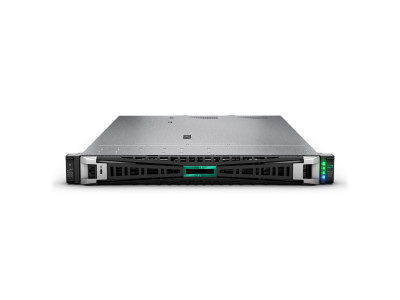
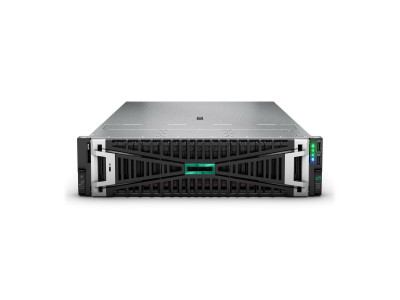
A practical rule: if there is no FC fabric already, building one for a single array is rarely worth it. Switches and adapters add a noticeable sum, while the latency gain on typical virtualization workloads is a fraction of a millisecond. iSCSI at 10 or 25 Gbit/s covers the vast majority of mid-sized business needs. If FC is already in place and maintained, the reverse applies: take the new array in an FC version. The HPE MSA line offers the same platform in FC, iSCSI and SAS variants.
Hybrid or all-flash
A hybrid array combines SSDs for hot data with high-capacity SAS or NL-SAS drives for everything else, moving blocks between tiers automatically. An all-flash array runs on SSDs only and saves space through inline deduplication and compression.
The approach to capacity differs fundamentally. With a hybrid, usable capacity is straightforward: drives minus RAID overhead. With all-flash, the vendor quotes effective capacity that assumes a data reduction ratio. Dell, for example, guarantees 5:1 reduction across the entire PowerStore line, from the entry-level 500T to the top models, with no prior workload assessment and no additional licenses. That ratio is achievable for virtual machines and databases, but not for already compressed data such as video, archives and encrypted files. Sizing capacity for backups and media by effective terabytes is a typical project mistake.
What this means on specific models
Below are four classes of systems actually available in Tashkent, with specifications from official vendor documents.
| Model | Class | Drives | Connectivity | When to choose it |
|---|---|---|---|---|
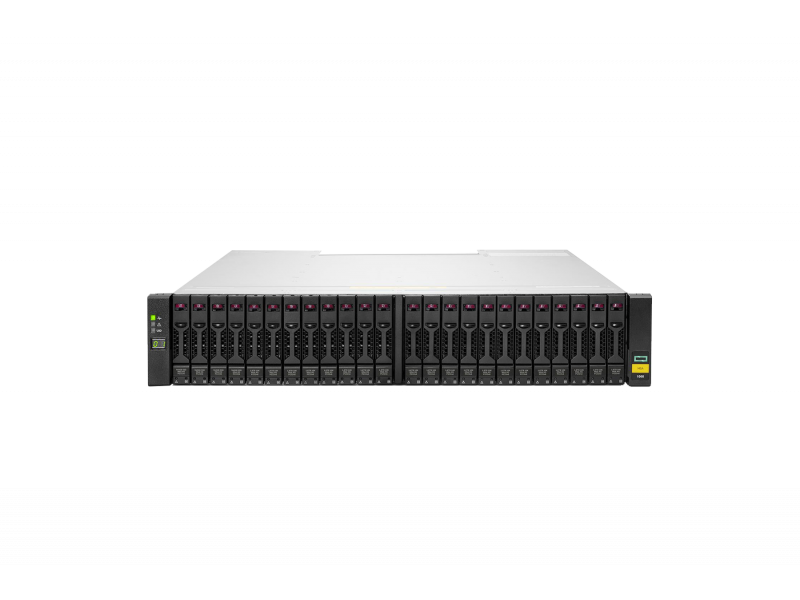
| HPE MSA 1060 | Block, entry level, 2U | Up to 96 SFF or 36 LFF, up to three expansion shelves | 16G FC, 1/10G iSCSI, 12G SAS, 4 ports per array | 1–3 servers, clusters of up to 8 nodes, limited budget |
| Dell PowerVault ME5012 | Block, entry level, 2U | Up to 264 drives with ME484 shelves | FC, iSCSI, SAS, depending on the modules chosen | Maximum headroom in drive count within the same class |
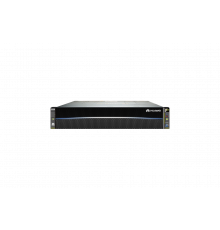
| Huawei OceanStor 5500 V5 | Hybrid, midrange | 25 SFF in the base chassis, expandable with shelves | FC, iSCSI, unified access | Mixed workloads, files and blocks from one system |
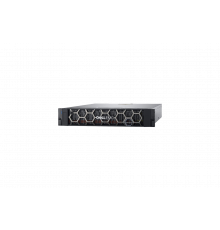
| Dell PowerStore 500T | All-flash NVMe, 2U | 25 NVMe slots in the base, up to 97 per appliance | FC, iSCSI, NVMe/TCP, blocks and files | Databases and VDI, latency requirements, growth over several years |
Performance figures deserve as careful a reading as capacity. HPE quotes up to 395,000 IOPS for the MSA 2060; Dell quotes up to 640,000 IOPS at 8 KB block size and up to 12 GB/s sequential read for the PowerVault ME5. These are peak synthetic values with a fully warmed cache and a maximum drive configuration. A twelve-drive array will show noticeably less, and that is normal: a typical environment of 30–80 virtual machines still leaves plenty of headroom.
Fault tolerance: what to treat as mandatory
Two controllers in active/active mode are not an option but a baseline requirement for any system serving a production workload. MSA, PowerVault ME5 and PowerStore all ship with two controllers: if one fails, the other takes over the volumes and the servers never notice. Single-controller configurations are acceptable only for backups and test environments.
Next come RAID levels. RAID 10 gives maximum write performance at the cost of half the capacity. RAID 5 saves space but is risky on large drives: rebuilding an array of 16–20 TB drives takes a day or more, and throughout that time the array is exposed to a second drive failure. For high-capacity NL-SAS drives the sensible choice is RAID 6 or equivalent double-parity schemes; for flash pools, the vendor's distributed layouts.
Spare drives deserve a separate mention. A hot spare belongs in the configuration from day one: waiting for a drive from abroad while the array runs without redundancy is a bad scenario.
Three things to check before buying in Uzbekistan
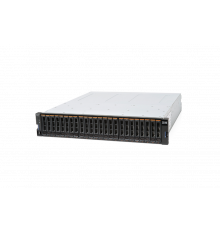
Support status of the model. Previous-generation equipment is noticeably cheaper, but every product line has a date when vendor service support ends. An example from our own catalog: the IBM Storwize V3700 is a reliable and still sought-after system, but IBM has ended service support: no more firmware updates or security patches are released for it. Such an array makes sense for a specific task, whether expanding an existing fleet, running a test environment or hosting an archive, but not as the primary platform for the next five years. The same applies to the previous-generation MSA 1050 compared with the current 1060/2060 line.
Drive compatibility. Enterprise-class arrays accept only drives with vendor firmware. A drive from the same manufacturer bought separately will most likely go unrecognized or be flagged as unsupported. Plan capacity expansion together with the purchase, not as a "we will buy more locally next year" afterthought.
Delivery and spare-parts lead times. In Uzbekistan this often matters more than the spec sheet. Ask where the equipment ships from, how long delivery takes and whether the distributor stocks critical spares: controllers, power supplies, drives of the required model. An array idle for a week waiting for a controller from abroad costs more than a pricier system with a local warehouse.
A short selection algorithm
One or two servers, up to 100 TB, limited budget: an entry-level SAS array or an expansion shelf. A virtualization cluster of 4–12 nodes with a mixed workload: a block array with iSCSI 10/25GbE, hybrid, with a flash tier for virtual machines. Heavily loaded databases, sub-millisecond latency requirements, a multi-year growth plan: all-flash NVMe with unified access. A file archive and shared resources: a NAS or a unified system, not a block array with a server bolted on as a gateway.
The full list of available systems is in the storage systems section: Dell PowerVault, PowerStore and Unity, HPE MSA and Alletra, Huawei OceanStor. If you need your requirements turned into a specific configuration with usable capacity calculated for your workload, contact us and we will size it.
Related guides and tools: Dell PowerVault ME5, HPE MSA 2060 and 2062, Dell PowerVault reference, HPE MSA reference.
Questions and answers
Can we start with a single enclosure and expand later?
Yes, provided you start with an array that has controllers rather than a JBOD. Both entry-level platforms discussed here are designed for expansion shelves: the MSA 1060 supports up to three additional shelves, and the PowerVault ME5012 scales to 264 drives. Specify the shelf model in the project from the outset: shelves are not interchangeable between product lines.
Which is more cost-effective: an array or local disks in the servers?
Local disks are cheaper while there are one or two servers and no cluster is needed. As soon as you need live migration of virtual machines, automatic restart on another node or shared access by several servers to the same data, shared storage becomes unavoidable: either an external array or a software-defined solution on the servers themselves.
Do we need a separate array for backups?
Backups must not sit on the same system as production data; that breaks the basic rule of backup. For backups, companies usually take a separate high-capacity system or a purpose-built deduplication appliance, and also copy the data to media that cannot be written from the production network.