In short. Size a 1C server by user count: up to 10 need one Xeon E-2xxx, 32–64 GB and two SSDs in RAID 1; 10–30 need an 8–16 core Xeon Scalable, 64–128 GB and NVMe in RAID 10; 30–100 split the application server and DBMS with 128–256 GB; 100+ take two 24–32 core Xeons and 256–512 GB on DL380 Gen11 or R760. A 3.4–3.8 GHz clock beats core count; from 15–20 active users switch to client-server mode.
The request "we need a server for 1C" says almost nothing about the configuration. 1C:Accounting for five workstations and 1C:ERP for a hundred and twenty users are different classes of hardware, and their prices differ several times over. Mistakes go both ways: some buy a dual-socket platform with forty cores for a file-mode database that will never use half of it, while others put seventy people on an office PC with a single SATA drive. Below is a breakdown of what really determines 1C performance, followed by reference configurations for four user-count ranges.
What determines 1C performance
File mode versus client-server mode
This is the first decision, and the whole configuration depends on it. In file mode the database sits in a shared folder and all processing runs on the client machines: the server acts essentially as a file share, and network load and lock contention grow faster than the number of users. The file-mode format limits a single table to 4 GB, and a client that disconnects abnormally raises the risk of database corruption. The practical ceiling is 5 to 10 concurrent users and a small database.
Client-server mode separates the roles: the 1C:Enterprise application server (a server cluster with rphost worker processes) and the DBMS, which is either MS SQL Server or a PostgreSQL build adapted for 1C. This scheme removes the table size limit and provides managed locking, proper transactions and normal backups without stopping work. From roughly 15 to 20 active users, moving to client-server mode is almost always justified, even if the file-mode database formally still copes.
CPU: clock speed matters more than core count
The key characteristic of 1C is that a large share of its work runs in a single thread. Posting a document, recalculating totals or building a complex report are sequential operations, and a given user's response time is defined not by the total number of cores in the system but by how fast one core processes their request. That is why a CPU with a base clock of around 3.4 to 3.8 GHz and a moderate core count delivers a smoother 1C experience in typical scenarios than a "wide" many-core CPU running at 2.0 to 2.3 GHz, even though the latter looks more impressive on paper.
Core count, in turn, determines how many of these single-threaded tasks run in parallel, that is, how well the system scales with the number of users. The practical rule is simple: first pick a high-frequency model, then choose the number of cores needed for the planned load. Look at frequency-optimised lines: Intel Xeon E-2xxx for entry-level systems and Xeon Gold with a high base clock for mid-size and large ones. You can pick a specific model in the server CPUs section.
One more thing: set the maximum performance profile in the BIOS and in the operating system instead of the power-saving one. Power saving is a regular cause of "floating" delays that people later hunt for in the 1C configuration.
Memory
In the client-server scheme the DBMS and the application server share memory. The DBMS tries to keep the "hot" part of the database in its cache: if the data users actually work with fits in memory, the disk subsystem almost stops being a bottleneck. The application server spends memory on worker processes, session data and the metadata cache; with many users and heavy reports this runs into tens of gigabytes. Memory must be registered with error correction (ECC): for a system that holds the accounting of the entire company, this is not optional. Spare DIMM slots matter too: adding memory is the cheapest upgrade there is.
Disk subsystem
The 1C disk workload consists mainly of small random reads and writes plus intensive transaction log writes. Latency decides here, not sequential throughput: an NVMe drive has orders of magnitude lower latency than an HDD and noticeably lower than a SATA SSD. The database needs proper enterprise drives with power-loss protection and high write endurance; consumer SSDs in this role wear out within months. The classic layout is a mirror (RAID 1) for the OS, RAID 10 for database files, and separate volumes for the transaction log and tempdb. Do not use RAID 5 for write-intensive data. Suitable drives are listed in the SSD and HDD drives section.
Configurations built on SAS/SATA drives need a hardware RAID controller with cache and cache protection (a battery or flash module). Without it the write cache is disabled and performance drops several times over. For NVMe, software mirroring or a separate boot-drive controller is used.
Network
In client-server mode the link between the application server and the database server is critical: if the roles are split across two machines, this means at least 10 Gbit/s, ideally a dedicated pair of ports. For thin-client connections a gigabit link to each workstation is enough, but in file mode the network becomes the main constraint, since it carries the data itself rather than query results. Also plan for a dedicated management port (iLO on HPE, iDRAC on Dell): remote diagnostics and reboots without travelling to the office save hours of downtime.
Configurations by number of users
The table below is a reference point for an initial estimate. The exact configuration depends on the application solution (ERP and Trade Management demand more than Accounting), the database size, the depth of history, and the number of background jobs and data exchanges. RAM and disk figures are indicative and include headroom for 2 to 3 years of growth.
| Users | Scenario | CPU | RAM | Disk subsystem | Suitable models |
|---|---|---|---|---|---|
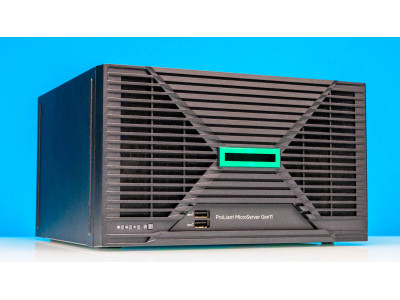
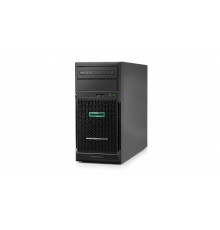
| up to 10 | Accounting, Small Business; file mode or a simple client-server setup on one server, often combined with file storage and a domain controller | 1x Intel Xeon E-2xxx, 4 to 8 cores, high base clock | 32 to 64 GB ECC | 2x SATA/SAS SSD in RAID 1 or 2x NVMe | HPE ProLiant ML30 Gen10, Dell PowerEdge T150/T360 |
| 10 to 30 | Client-server mode: 1C server and DBMS on one machine, database from a few GB to several tens of GB | 1x Xeon Scalable, 8 to 16 cores, high-frequency SKU | 64 to 128 GB ECC | 2x SSD in RAID 1 for the OS + 4x SSD/NVMe in RAID 10 for the database | HPE ProLiant DL320 Gen11, Dell PowerEdge R360/R660 |
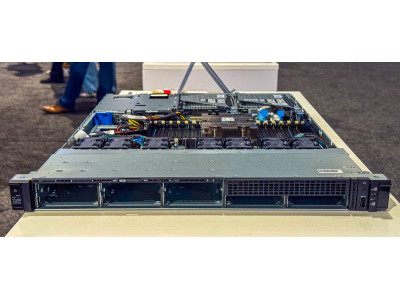
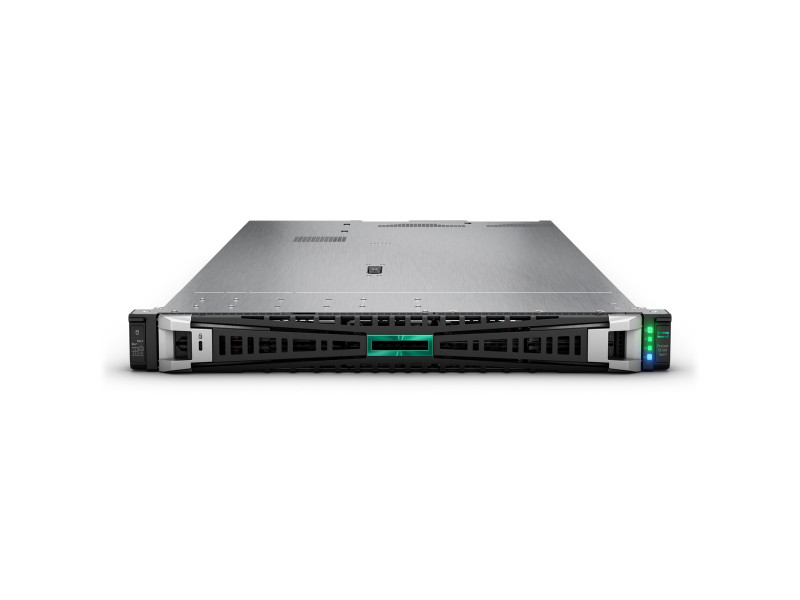
| 30 to 100 | Separated roles: a dedicated application server and a dedicated database server, or two virtualisation nodes with redundancy | 1 to 2x Xeon Scalable, 16 to 32 cores | 128 to 256 GB ECC | NVMe in RAID 10, separate volumes for the transaction log and tempdb | HPE ProLiant DL360 Gen11, Dell PowerEdge R660 |
| 100+ | ERP or Integrated Automation, a 1C server cluster, a fault-tolerant DBMS, external storage and a standby node for failover | 2x Xeon Scalable, 24 to 32 cores and above | 256 to 512 GB and more | NVMe only, either local or on a storage system connected over 25GbE or 32G FC | HPE ProLiant DL380 Gen11, Dell PowerEdge R760 |
The form factor follows the room: with no server room or rack, a tower chassis suits the smaller configurations, being quieter and more tolerant of office conditions. With a rack, go for rack models: they are denser and easier to service. The full range of platforms is in the servers section. The Dell PowerEdge line covers the same scenarios as HPE ProLiant; the choice is usually driven by the existing fleet and management tooling preferences.
Common mistakes
Most complaints about "slow 1C" trace back not to the platform but to decisions made at purchase time:
- Betting on core count instead of clock speed. A many-core, low-frequency CPU loses to a high-frequency one in 1C for the same money.
- Staying in file mode "until the very end". 25 to 30 users on a file-mode database means guaranteed lock contention and a risk of corruption.
- Ordinary HDDs or desktop SSDs for the database. No power-loss protection, low write endurance, unpredictable latency.
- RAID 5 for a write-heavy database. The write penalty eats the capacity gain; for a database the right choice is RAID 10.
- Non-ECC memory and a desktop platform. Savings at the start turn into unexplained failures and no warranty for 24/7 operation.
- A single power supply and a single drive. Any failure means accounting stops until a replacement is purchased.
- Virtualisation without resource reservations. A 1C server on an oversubscribed host next to "noisy neighbours" runs erratically.
- No scheduled DBMS maintenance. Without statistics updates, reindexing and transaction log management the database degrades within months.
- No backups with restore testing. A backup that has never been restored is not a backup.
What to consider in Uzbekistan
Power. Voltage sags and brief outages are a reality for many offices and industrial sites. The minimum: a server with two power supplies connected to different lines, a UPS with enough runtime for the DBMS to shut down cleanly (roughly 15 to 30 minutes), and automatic shutdown configured on the UPS signal. If downtime is unacceptable, add a voltage stabiliser at the input and a generator.
Cooling. In summer the outdoor temperature in Tashkent stays around +40 °C, and the server room becomes a critical space. Rack servers are rated for inlet air of roughly 10 to 35 °C (ASHRAE class A2), with a comfortable range of 18 to 27 °C. When they overheat, the fans go to maximum, the CPUs throttle their clocks, and "1C slowdowns" appear precisely in the heat. Proven practice: a dedicated room, two air conditioners working in rotation instead of one, temperature sensors with alerts, dust control, and regular cleaning of filters and heatsinks.
Delivery, warranty and payment. Some configurations are available from stock, others are brought in to order, and lead times must be built into the project from the start. What matters is original components with a manufacturer warranty, local service support and quick access to replacement parts. For legal entities we work by bank transfer with VAT and provide a contract, an invoice and the full set of documents for your accounting department.
Related guides and tools: Server for 1C.
Questions and answers
Can we use an ordinary PC instead of a server if we only have five users?
Technically, a file-mode database on a powerful PC will run. But a desktop has no ECC memory, redundant power, hardware RAID or remote management, and its warranty does not cover 24/7 operation. For five users a sensible compromise is an entry-level tower server: it costs little more than a good PC but provides ECC memory, mirrored drives and service support.
MS SQL Server or PostgreSQL: which should we choose for 1C?
Both DBMSs are officially supported by the platform. PostgreSQL in builds adapted for 1C removes the DBMS licensing cost but demands more careful tuning and qualified staff for support. MS SQL Server is easier to operate and maintain, but its licences add noticeably to the project budget. The choice has only a moderate effect on hardware requirements: either DBMS needs fast drives, plenty of memory and a high CPU clock.
Is one powerful server better than two smaller ones?
Up to roughly 30 users a single server makes economic sense; beyond that it is worth looking at two. Splitting the roles (application server and DBMS) removes contention for memory and disks, while two virtualisation nodes give fault tolerance: if one fails, accounting keeps running, and planned maintenance takes place without stopping the company.
If you need a specific configuration for your application solution, database size and user count, we will prepare several options with justification and prices, including UPS sizing and room requirements. Call +998 91 004 9858, write to info@itsmart.uz or message the same number on Telegram, and we will match the server to the task rather than to the price list.