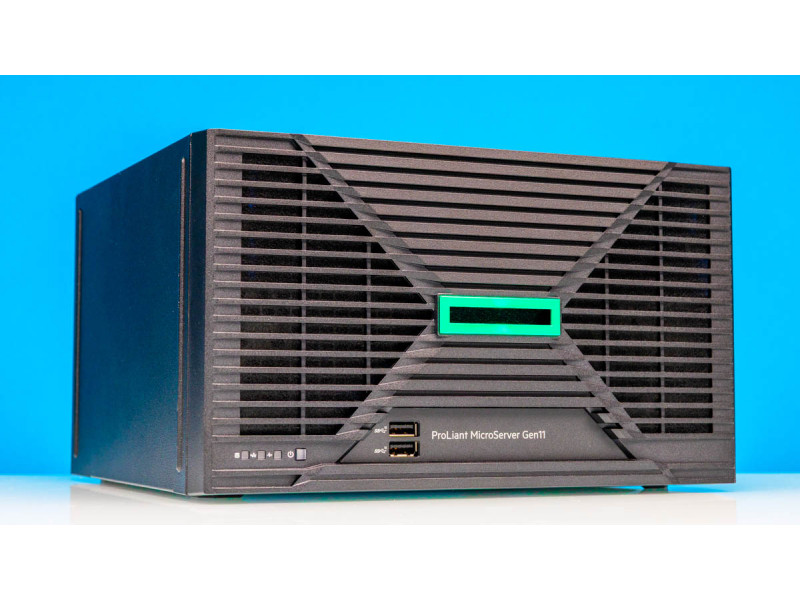
In short. The MicroServer Gen11 is HPE's smallest server: a compact tower for four 3.5-inch drives with a Xeon E-2400, built-in iLO and two PCIe slots. Its niche is the branch office, the small office and the test bench. Two limits have to be accepted up front: there is no hot-swap (replacing a drive means powering the server down) and networking is four gigabit ports, with 10GbE added separately. If either is a deal-breaker, look at the rack-mount DL320 Gen11 at 41,000,000 UZS or the tower ML30 Gen11 at 31,000,000 UZS, which have a hot-plug cage and a proper RAID controller. The rack alternative is covered in our DL320 Gen11 review.
All ProLiant Gen11 configurations with prices → — from the MicroServer to dual-socket platforms, with availability and lead times.
HPE has refreshed its smallest server: the popular ProLiant MicroServer Gen10 Plus is succeeded by the Gen11. It is a compact tower for a small office, a branch, a home lab or storage duties — wherever a full rack is overkill but reliability and remote management are already required. Below is what changed, where the machine's limits are, and when something else is the better buy.
What is inside
- Processor. Intel Xeon E-2400 (up to 8 cores, LGA1700). Entry builds ship with the lower bins, but the board also takes higher parts such as the E-2436, which makes a noticeable difference on upgrade.
- Memory. DDR5 with error correction. For the workloads a MicroServer is bought for, capacity is usually limited by budget rather than by the platform ceiling — size it for the workload from the start, because adding modules inside a compact chassis is awkward.
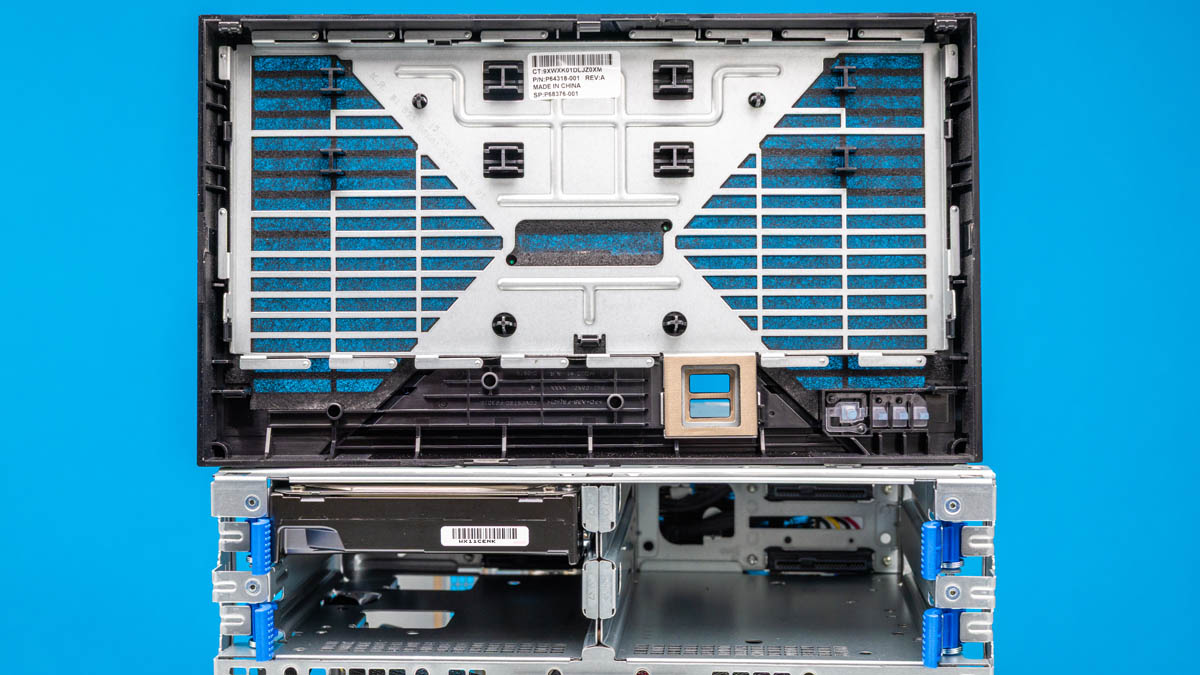
- Storage. Four 3.5-inch SATA bays with tool-less mounting, plus M.2 slots for a boot or cache SSD. Putting the hypervisor on M.2 is smarter than spending one of the four bays on it.
- Networking. Four 1GbE ports on a Broadcom controller.
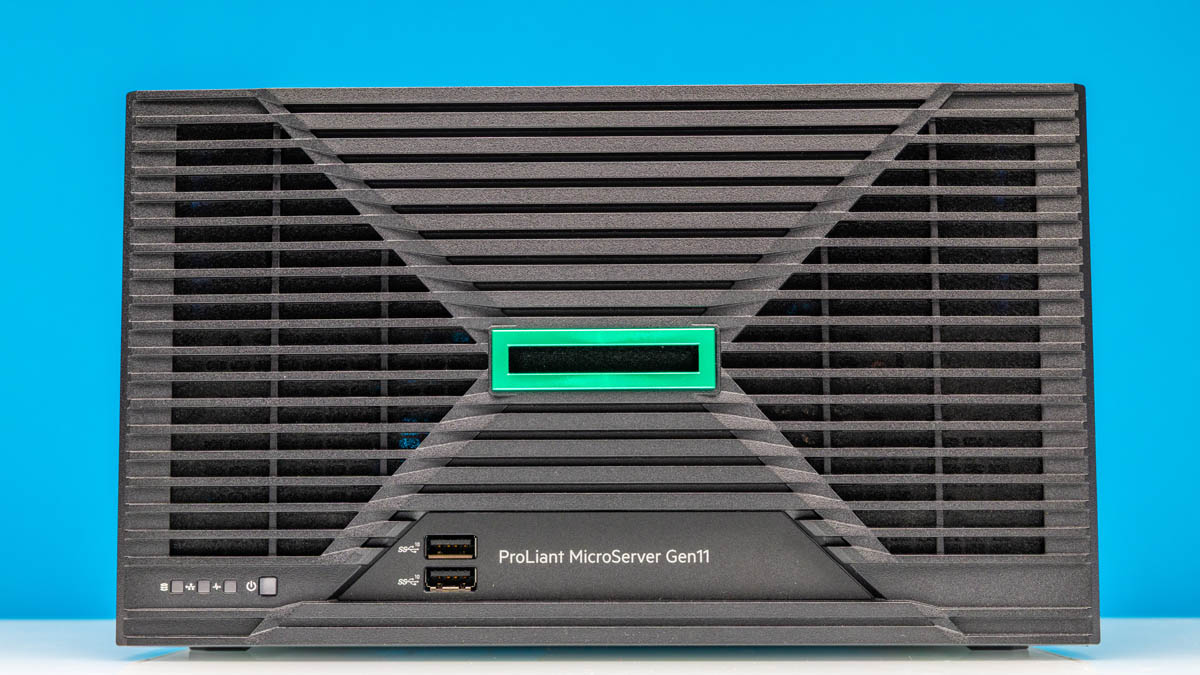
- Ports. Two USB 3.2 Gen2 (10 Gb/s) at the front; four USB, VGA and DisplayPort, a serial port and a dedicated iLO port at the back.
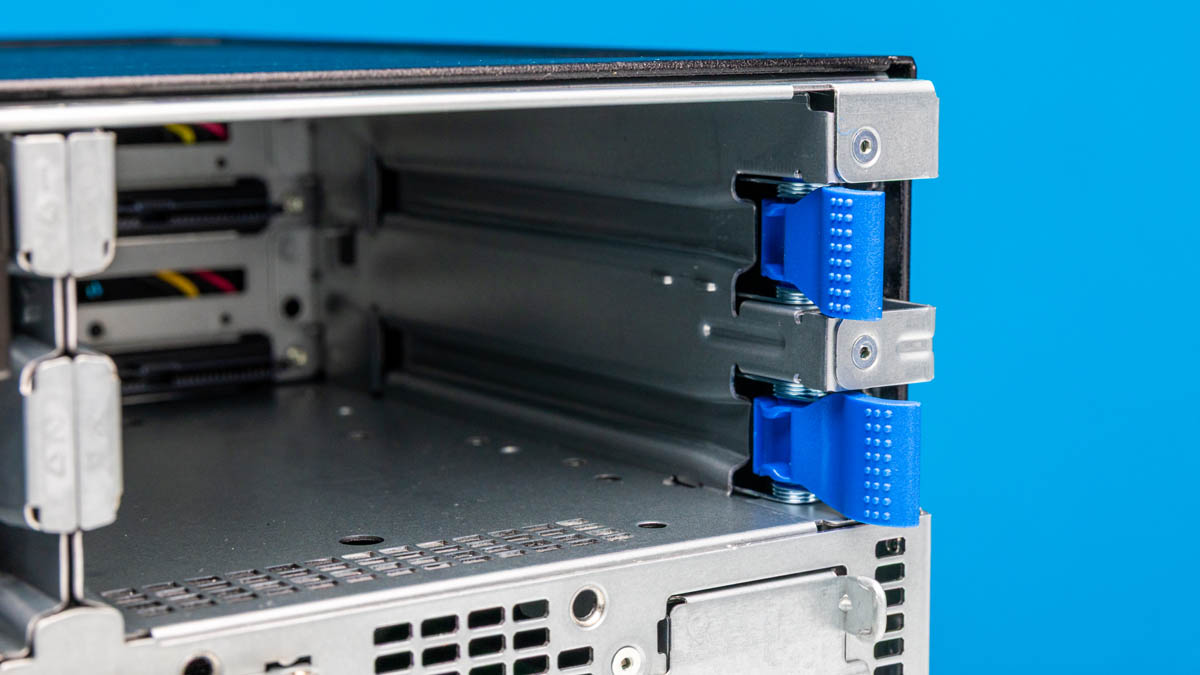
- Expansion. Two low-profile PCIe slots (the Gen10 Plus had one) plus MCIO and OCP headers on the board. The reworked rear panel is the generation's main practical improvement.
- Cooling and power. A single rear fan and a compact internal power supply; the chassis is slightly larger than its predecessor.
What is missing: hot-swap, and what that means in a branch
The MicroServer has no hot-swap backplane. That is a deliberate saving, and it has consequences worth thinking through before the purchase rather than after the first drive failure.
- Replacing a drive means shutting the server down. In a branch 300 kilometres from Tashkent that means an engineer's trip and an agreed maintenance window, not "pull it out and push one in".
- RAID 5 on four drives gets riskier. While you are travelling to replace the drive, the array runs without redundancy. If roads and lead times are unpredictable, RAID 6 across four drives is the saner choice — half the capacity survives, but so does the array after two failures — or RAID 10.
- A cold spare on site is mandatory. Since downtime is unavoidable anyway, let it last half an hour rather than two weeks of waiting for delivery. The spare must be the same model and capacity.
For a lab or a test bench none of this matters. For a production node in a branch it is exactly the criterion that decides between the MicroServer and the ML30 Gen11 with its hot-plug cage.
Networking: why four gigabits are not four gigabits
Four 1GbE ports look generous until you do the arithmetic. One gigabit port delivers about 110 MB/s in practice. An ordinary 3.5-inch drive reads at 150–200 MB/s, and an array of four reads considerably faster. In other words, the bottleneck is not the disks but the network, and it is there from day one.
Bonding the ports does not fix it the way people hope: LACP spreads sessions across ports, it does not speed up a single one. A user copying a large file still gets 110 MB/s — another user simply gets the same in parallel. For a file server used by fifteen people that is enough. For overnight backups, image restores or video work it is not.
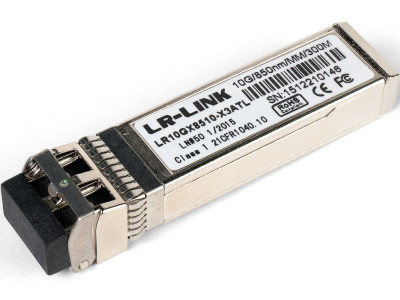
The practical rule: if the requirement contains the word "backup" or "video", budget a 10GbE adapter into one of the two PCIe slots from the start rather than "later, if needed". And check that the branch switch actually has a 10 Gb/s port, or the adapter will simply meet the same wall.
Building RAID without a hardware controller
The base MicroServer has no hardware RAID controller with cache and battery. There are three options, and the choice follows from the operating system above.
- The platform SATA controller with software RAID. Free, configured in UEFI, and it works. The downside is that the array is tied to that specific board, and RAID 5 write performance without cache is noticeably below a hardware controller.
- Operating-system tooling. Storage Spaces on Windows Server, mdadm or ZFS on Linux. The array moves to other hardware as a whole, diagnostics are clearer, and ZFS additionally verifies data integrity. It does require an administrator who knows the tool.
- A PCIe controller in one of the two slots. Solves performance and portability, but takes a slot — and there are only two, one of which you have probably already given to 10GbE. A choice has to be made.
How RAID levels behave on drives of different sizes, and why RAID 5 on large drives is a poor idea today, is covered in RAID and the server disk subsystem.
iLO: what the base licence covers and what it does not
Built-in HPE iLO is the key advantage over a white box or a consumer NAS: remote power control, hardware monitoring, failure logs and firmware updates without being on site. A dedicated iLO network port lets management live on a separate network.
There is one catch that causes real disappointment: the remote graphical console and virtual media are features of the advanced iLO licence, not the base one. The base licence covers monitoring and power control, which is enough to reboot a hung server. Installing an operating system from an ISO over the internet, without travelling to the branch, is not possible without the advanced licence. For a remote site that licence pays for itself with the first trip it prevents — budget it in from the start.
What to compare it with: MicroServer, ML30 Gen11 and DL320 Gen11
| Parameter | MicroServer Gen11 | ML30 Gen11 | DL320 Gen11 |
|---|---|---|---|
| Chassis | compact tower | full-size tower | 1U rack |
| Processor | Xeon E-2400 | Xeon E-2400 | Xeon Scalable |
| Hot-swap drives | no | yes, in hot-plug cage builds | yes |
| PCIe slots | 2, low profile | more, full height | depends on the riser |
| Where it lives | a shelf, a cabinet, under a desk | a room without a rack | a rack only |
| Catalogue price | to order | 31,000,000 UZS | 41,000,000 UZS |
Note the price row: the gap between the MicroServer and the ML30 is small, while the difference in serviceability is fundamental. The MicroServer wins where there is physically nowhere to put a full-size tower, or where silence in an office matters. Without that constraint the ML30 Gen11 is usually the more sensible buy. From the previous generation a MicroServer Gen10 Plus with a Xeon E-2224 and 16 GB is often in stock at 32,000,000 UZS, for cases where compactness outweighs processor generation.
Typical branch-office scenarios
- File server and domain controller for 10–20 people. The core scenario and the best fit: the load is light, a gigabit per user is plenty, and iLO covers remote maintenance.
- 1C for a small unit. The high-clock Xeon E-2400 suits 1C well, since that platform cares about clock speed more than core count. The limits are memory and network speed if the database sits on the same server and users work through a terminal session.
- Backup target. Workable, provided a 10GbE adapter is fitted; otherwise the nightly backup window meets the gigabit wall and never closes.
- Video surveillance, with caveats. Four 8 TB drives in RAID 6 give about 16 TB usable, which is roughly twenty-four days of archive for sixteen 4 MP cameras in H.265. Do the arithmetic in advance, and for a serious system use a dedicated platform — the method is in our video surveillance server guide.
Pros and cons
| Pros | Cons |
|---|---|
| Compact, well-built chassis, quiet operation | Only 4 × 1GbE — real load needs a separate 10GbE card |
| Two PCIe slots and a reworked rear panel | No hot-swap drive bays |
| Built-in iLO for remote management | Remote console requires the advanced iLO licence |
| Xeon E-2400 with room for a CPU upgrade | Intel only; no AMD EPYC option in this line |
| Four 3.5-inch bays plus M.2 for the OS | Costs more than a consumer NAS of similar specification |
Checklist before buying
- Who can physically reach the server to replace a drive, and how fast — that decides the RAID level and whether a cold spare must sit on site.
- Whether remote OS installation is needed: if so, budget the advanced iLO licence from the start.
- Whether the branch switch has a free 10 Gb/s port, if an adapter is planned.
- Where the hypervisor will live: on M.2, not in one of the four drive bays.
- Whether the workload fits into four drives for the whole service life — unlike rack models, the MicroServer has nowhere to grow.
- Whether there is a UPS: a compact chassis does not remove power requirements, and branch offices lose power more often than headquarters.
The MicroServer Gen11 is not about peak performance but about a dependable compact node with genuine server management. We will size a configuration for your workload — processor, memory, drives, a 10GbE adapter and an iLO licence where needed — and say plainly if an ML30 or a DL320 serves you better. Get in touch; the whole Gen11 range with prices is here.
Source and photographs: ServeTheHome, Patrick Kennedy, 24.07.2025 — servethehome.com. Published with attribution.
Questions and answers
Can drives be replaced hot in the MicroServer Gen11?
No. This model has no hot-swap backplane, so replacing a drive requires powering the server down. That is the main difference from the ML30 Gen11 and the rack ProLiants, and the main argument against a MicroServer for remote sites without permanent staff.
Are four gigabit ports enough?
For a file server used by 10–20 people, yes. For backups, video work or image restores, no: one port gives about 110 MB/s, and link aggregation speeds up parallel sessions rather than a single one. Those workloads need a 10GbE adapter in a PCIe slot.
How does a MicroServer differ from an ordinary NAS?
By being a server platform: error-correcting memory, built-in iLO with its own network port, support for server operating systems and hypervisors, plus warranty and spare-part channels. A NAS wins on price and ready-made software; the MicroServer wins on manageability and predictability in a corporate environment.
What should I buy instead if hot-swap is required?
The ML30 Gen11 at 31,000,000 UZS if the server stands in a room without a rack, or the DL320 Gen11 at 41,000,000 UZS if there is a rack. Both use the same or a higher processor base but come with a proper drive cage and a full RAID controller in their configurations.
Is the advanced iLO licence necessary?
If the server sits in another city, yes. The base licence lets you reboot it and see hardware status, but the remote graphical console and ISO mounting are available only in the advanced tier. Without it, reinstalling the system means a trip.