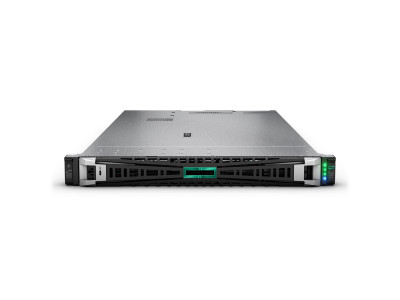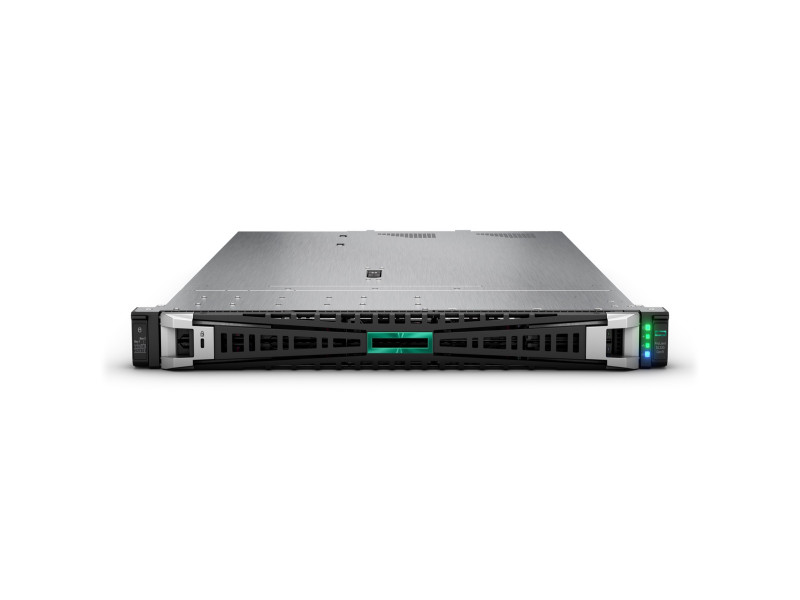
In short. A FortiGate is chosen by its Threat Protection figure, not by firewall throughput: the 40F does 600 Mbps against 5 Gbps, the 60F 700 Mbps, the 90G 2.2 Gbps, the 120G 2.8 Gbps and the 600F 10.5 Gbps. As a rule of thumb by headcount: 40F up to 15 or 20 users, 60F and 70F up to 50 to 100, 90G up to 150 to 250, 120G up to 300 to 500, 400F and 600F from 500 upwards. For HTTPS inspection size against the SSL Inspection row and add 30 to 50 % headroom. The 100F and 200F are end-of-sale; their successors are the 120G and 200G.
Once an office has a 200 to 500 Mbps internet link, a public service, a branch network or a regulatory requirement to control traffic, an ordinary router stops coping. It routes packets and performs NAT, but it does not see what is inside a session: which application, which file, whether an exploit or a phishing redirect is hiding in it. That is the job of NGFW firewalls — devices that parse traffic up to the application layer and decide by content rather than by port number. In the Fortinet range that is the FortiGate family, and every buyer asks the same question: which model avoids both overpaying and hitting a performance wall within a year.
Here are seven current models, from the desktop 40F to the rack-mount 600F, with official datasheet figures and the selection logic: by link speed, user count, ports and plans for SSL inspection.
What an NGFW is and what you pay for
A FortiGate is two things in one box: a hardware platform and a subscription to security services. The hardware with FortiOS already does a great deal out of the box: firewall policies, NAT, routing, IPsec and SSL VPN, SD-WAN with link balancing and failover, HA clustering, VDOMs (virtual firewalls inside one appliance) and management of access points and switches over FortiLink.
The subscriptions add the security itself:
- IPS — intrusion prevention: signature and behavioural analysis, blocking exploits and scans.
- Antivirus — inline file inspection with FortiSandbox integration.
- Web Filtering and DNS Filter — site categories, blocking malicious and unwanted resources, control by time and user group.
- Application Control — recognition of thousands of applications (messengers, torrents, cloud drives, remote access) and policies for them regardless of port.
- SSL/TLS inspection — decrypting HTTPS, without which every check above sees only an encrypted stream.
Commercially this is packaged as FortiCare (support, RMA, firmware updates) and FortiGuard (signatures and reputation feeds), usually bought as a bundle: UTP for the basic UTM profile set or Enterprise/ATP with extended analytics, for one, three or five years. One thing to understand: without an active subscription the appliance keeps working as a firewall and VPN gateway, but the databases stop updating and protection degrades within weeks. The subscription term is therefore part of the model decision, not a separate line on the invoice.
The models compared
The table uses official Fortinet datasheet figures. Note the gap between the bare firewall number and Threat Protection mode (IPS plus antivirus plus application control with logging): the latter is the real load the appliance will carry.
| Model | Firewall | NGFW / Threat Protection | Interfaces | Form factor | Who it is for |
|---|---|---|---|---|---|
| FortiGate 40F | 5 Gbps | 800 Mbps / 600 Mbps | 5 × GE RJ45 (1 WAN, 3 internal, 1 FortiLink) | desktop | a small office, an SD-WAN remote site |
| FortiGate 60F | 10 Gbps | 1 Gbps / 700 Mbps | 10 × GE RJ45 (2 WAN, 1 DMZ, 5 internal, 2 FortiLink) | desktop, fanless | the volume model for an office or branch |
| FortiGate 70F | 10 Gbps | 1 Gbps / 800 Mbps | 10 × GE RJ45 (2 WAN, 1 DMZ, 5 internal, 2 FortiLink) | desktop, fanless | a branch with many sessions (1.5 million) and policies |
| FortiGate 90G | 28 Gbps | 2.5 Gbps / 2.2 Gbps | 8 × GE RJ45, 2 × shared-media WAN 10G/5G/2.5G RJ45 or 10GE SFP+ | desktop | a branch with a 10G link and multi-gigabit IPsec |
| FortiGate 120G | 39 Gbps | 3.1 Gbps / 2.8 Gbps | 18 × GE RJ45, 8 × GE SFP, 4 × 10GE SFP+ | 1U rack | mid-sized business, SD-Branch, the 100F replacement |
| FortiGate 400F | 79.5 Gbps | 10 Gbps / 9 Gbps | 18 × GE RJ45, 8 × GE SFP, 8 × 10GE SFP+ (4 ultra low latency) | 1U rack | a large campus, a data centre edge, up to 25 VDOMs |
| FortiGate 600F | 139 Gbps | 11.5 Gbps / 10.5 Gbps | 18 × GE RJ45, 8 × GE SFP, 4 × 10GE SFP+, 4 × 25GE SFP28 | 1U rack | an enterprise network core and data centre, up to 50 VDOMs |
SSL inspection and IPsec deserve a separate look, because that is where the generations differ most. SSL inspection: 310 Mbps on the 40F, 630 Mbps on the 60F, 700 Mbps on the 70F, 2.6 Gbps on the 90G, 3 Gbps on the 120G, 8 Gbps on the 400F and 9 Gbps on the 600F. IPsec VPN: 4.4 Gbps on the 40F, 6.5 Gbps on the 60F, 6.1 Gbps on the 70F, 25 Gbps on the 90G, 35 Gbps on the 120G and 55 Gbps on both the 400F and the 600F. The models on the new SP5 ASIC (90G and 120G) multiply encryption performance while drawing about 20 W and 40 W respectively.
Sizing it for your network
Step 1. Start from Threat Protection, not from Firewall. The "5 Gbps firewall" figure on a 40F is pure routing with no inspection. Switch on IPS, antivirus and web filtering and 600 Mbps is what remains. Treat the Threat Protection column as the ceiling.
Step 2. Account for SSL inspection. Today 85 to 95 % of traffic is encrypted, and without decryption an NGFW becomes an expensive router. Decryption is the heaviest operation: on a 60F it yields 630 Mbps against 10 Gbps in firewall mode, fifteen times less. If full HTTPS inspection is planned, size against the SSL Inspection row and add 30 to 50 % for growth and peaks.
Step 3. Map it to the user count. Fortinet does not publish users per model, because performance depends on the traffic profile, the enabled inspection profiles and logging depth. As a practical guide we use in projects: 40F up to 15 or 20 seats, 60F and 70F up to 50 to 100, 90G up to 150 to 250, 120G up to 300 to 500, 400F and 600F from 500 upwards or at a data centre edge. These figures are not from a datasheet and must be checked against real bandwidth and workload. A breakdown by office size with prices sits in our FortiGate by headcount guide.
Step 4. Count the ports. Desktop models (40F, 60F, 70F, 90G) offer copper gigabit ports only, with the 90G adding two 10G SFP+ WAN ports. The rack-mount 120G, 400F and 600F provide SFP+ and SFP28 for fibre and uplinks. One important detail: base FortiGate models have no PoE — PoE versions are separate SKUs. To power cameras and access points plan FortiSwitch switches, especially as every model listed has a FortiLink port and can manage switches and access points from the FortiGate interface itself.
Step 5. Settle the resilience question. If perimeter downtime is unacceptable, budget an HA pair (FGCP) of two identical appliances, active-passive or active-active. That doubles hardware and licence cost but switches over in seconds. Power matters too: the 40F to 90G use an external 12 V adapter (the 90G accepts a second for redundancy), the 120G has two built-in non-hot-swap supplies, and the 400F and 600F have two hot-swap units, which matters in a data centre rack.
About the discontinued models
Two models that are still asked about regularly are leaving the market. The FortiGate 100F (20 Gbps firewall, 1 Gbps Threat Protection) no longer appears in the current Fortinet product matrix and its datasheet has been withdrawn — end-of-sale status. The direct successor is the 120G: nearly double the firewall throughput (39 against 20 Gbps), three times the Threat Protection (2.8 against 1 Gbps) and three gigabits of SSL inspection against one, at around 40 W.
Likewise the FortiGate 200F (27 Gbps firewall, 3 Gbps Threat Protection, 4 Gbps SSL) is absent from the current matrix and its place is taken by the 200G. If a 100F or 200F is already installed there is no need to panic: support and updates continue under active FortiCare contracts until the announced end-of-support date. But when expanding the fleet or planning the next budget cycle, plan around the G series — otherwise in two or three years you will run a zoo of platforms from different generations with different performance under identical policies.
Questions and answers
Can I buy a model that only just fits and add licences later?
Licences extend functionality, not performance: the hardware platform is fixed. If a 60F delivers 700 Mbps of Threat Protection, no subscription will turn that into a gigabit. The only way to grow is to replace the appliance, so performance headroom is decided at purchase, usually over a three to five year horizon alongside the subscription term.
What happens if FortiCare and FortiGuard are not renewed?
The appliance keeps working: policies, NAT, VPN and routing remain. IPS, antivirus and web filtering databases stop updating, and access to new firmware and factory support with hardware replacement disappears. In practice that means that within a few months your NGFW knows nothing about fresh vulnerabilities, and an RMA after a hardware failure has to be paid for separately.
Does a branch need its own FortiGate, or is a VPN to head office enough?
The centralised option with a tunnel to a head-office gateway works, but all branch traffic runs over the main link, and an outage there leaves the site without internet and without protection. A local 40F or 60F with SD-WAN provides local breakout, link redundancy and consistent policy through FortiManager. The licence cost difference is small; the availability difference is decisive.
Choosing a FortiGate is not picking a line from a price list but a calculation: actual bandwidth, the share of HTTPS under inspection, the number of sites, resilience requirements and the planning horizon. ITsmart engineers will size the model and licence set for your network, cost an HA pair, help migrate from a 100F or 200F to the G series and handle the deployment — from basic policy configuration to SD-WAN between branches and integration with the Wi-Fi infrastructure. Call +998 91 004 9858, write to info@itsmart.uz, use Telegram or the contacts page and we will prepare a specification and a quote.