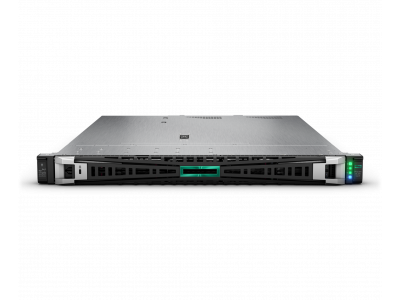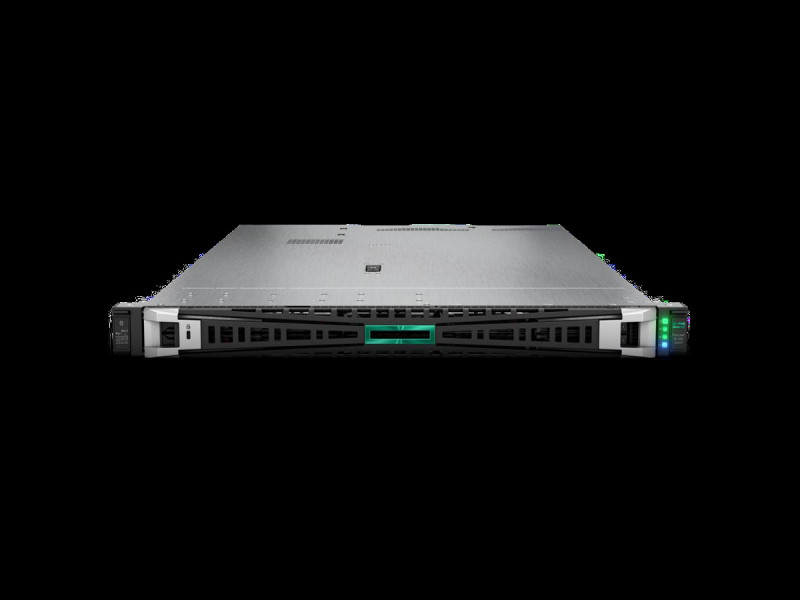
In short. Processors, memory and chipset are identical on the DL360 Gen11 and DL380 Gen11 — the only difference is chassis height. Take 1U when data lives on external storage and rack space is expensive: up to 10 SFF bays, low-profile cards, 40,000,000 UZS for the bare platform. Take 2U when local drives matter (up to 24 SFF), full-height GPUs are needed or slots must be spare: 49,000,000 UZS for the platform and from 35,537,000 UZS for ready builds. The rule is simple — if any growth scenario needs drives or slots, take 2U.
Size a server online → — the configurator works out cores, memory and drives for the workload.
The two most requested servers in the HPE ProLiant line are the eleventh-generation DL360 and DL380. Processors, memory and chipset are the same; the difference is chassis height, 1U against 2U. Yet that is exactly what decides which server fits your task and which becomes a problem a year into service.
What they share
Both platforms sit on the same base: Intel Xeon Scalable processors of the 4th and 5th generations, DDR5 with eight channels per socket, PCIe Gen5, iLO 6 management and the same families of RAID controllers and network adapters. With identical processors there is no difference in raw compute performance — and hypervisor licences are counted the same way, by cores.
Where the line runs
| Criterion | DL360 Gen11 (1U) | DL380 Gen11 (2U) |
|---|---|---|
| Rack space | 1U — twice the density | 2U |
| Drive bays | up to 10 SFF | up to 24 SFF or 8 LFF |
| PCIe expansion | limited count, low profile | more slots, including full height |
| GPUs | compact models only | full-height double-width cards |
| Cooling | denser, fans run faster and louder | airflow headroom |
| Top processors | TDP limits in some configurations | supports hotter parts |
| Catalogue platform price | 40,000,000 UZS | 49,000,000 UZS, ready builds from 35,537,000 UZS |
When the DL360 Gen11 is clearly right
- Rack space is expensive and units are scarce. The classic colocation case: twice the compute in the same rack.
- Data lives on storage, not in the server. If a pair of drives covers the OS and logs while everything else arrives over FC or iSCSI, the 24 bays of a DL380 are wasted. How to attach an array is covered in the HPE MSA 2060 and 2062 and Dell PowerVault ME5 guides.
- Virtualisation cluster nodes with external storage. The standard pattern: 1U nodes, all capacity on the array.
- Edge and network services. Domain controllers, DNS, proxies, application servers.
When you need the DL380 Gen11
- Local drives are the point. Software-defined storage, hyper-converged clusters, backup servers. Drive and controller selection is in drives and RAID controllers.
- A GPU is required. Model inference, VDI with graphics acceleration, video processing — a full-height card will not fit in 1U.
- Many expansion cards. Two FC adapters, two network cards and a RAID controller exhaust 1U slots faster than expected.
- Growth is planned. 2U forgives a planning mistake; in 1U there is nowhere to expand.
- The server sits in an office server room. A 1U machine with fans at high revolutions is genuinely loud — a separate item on the server room checklist.
What it costs in practice
The chassis price gap between 1U and 2U is small against the rest of the configuration: 40,000,000 UZS versus 49,000,000 UZS for the bare platforms. The real money is processors, memory and drives. So the decision follows where the data will live and how many expansion cards will be needed in a year, not the price of the case. Ready DL380 Gen11 builds start at 35,537,000 UZS for 8LFF, 16SFF and 24SFF and 35,655,000 UZS for 8SFF; the full list is in the HPE ProLiant Gen11 guide, and the price structure of a server is broken down here.
The common mistake
Saving one rack unit at purchase turns into replacing the server a year later, when another controller or local backup capacity is needed. If any growth scenario needs drives or slots, take 2U: the chassis price difference is nothing against an unplanned platform replacement.
The opposite mistake also happens: a 2U server with two drives and one network card in an expensive rack is paid-for space that nobody uses.
If you need something even more compact
For a single-socket task — an ERP database for a small company, a file server, a monitoring node — look at the DL320 Gen11 at 41,000,000 UZS. It is 1U on one socket: the same Gen11 architecture at a noticeably lower price and power draw. Sizing by user count is in the server for 1C guide.
All three platforms are available new and refurbished. Write to us with a description of the task and we will size the configuration and cost both options.
Questions and answers
Do the DL360 and DL380 perform differently with the same processors?
On typical workloads, no: platform, memory and bus are identical. A difference appears under sustained full load on top processors, where 1U cooling works at its limit while 2U keeps airflow headroom.
Can a GPU go into a DL360 Gen11?
Only compact single-width cards with low TDP. Full-height double-width accelerators belong in the DL380 Gen11, which has the slots, the power and the cooling for them.
What should a three-node virtualisation cluster use?
If capacity sits on external storage, three DL360 Gen11 nodes are denser and cheaper on space. If the cluster is hyper-converged on local drives, only the DL380 Gen11 with an SFF cage and an HBA-mode controller will do.
How much memory per node?
Memory runs out before CPU almost every time: allow at least 30 % headroom plus a reserve for node failure. Channel population matters more than module count — see the server memory guide.