In short. Pick a server by workload. 1C needs a high-frequency CPU, often one socket, and SSD or NVMe only: DL320 Gen11 or Dell R660. A virtualization host needs two many-core sockets, at least 30% memory headroom and two 10GbE ports: DL380 Gen11 or R760. A file server runs on large HDDs in RAID 6; a database server needs NVMe, maximum memory and replication. Fix the user count, data volume for 3–5 years and acceptable downtime first.
Choosing the wrong server is expensive: an undersized configuration hits its ceiling within six months, an oversized one locks the budget into unused resources. Here is how to size a server for the four most common workloads.
Start with four numbers, not with hardware
Before discussing models, collect the input data:
- Number of users and load profile. 30 accountants in 1C and 300 employees in a CRM are fundamentally different machines.
- Data volume today and the forecast for 3–5 years. Plan for the server's lifetime, not for the current moment.
- Acceptable downtime. An hour, a day or zero: this decides whether you need a second server and a cluster.
- Where the server will live. A data centre rack, an office server room or a utility closet: this is the choice between rack and tower.
Server for 1C
1C is sensitive to clock speed and latency, not to core count. A processor with 32 slow cores will lose to one with 16 fast cores.
- CPU: high-frequency models; a single socket is often enough.
- Memory: with headroom, so that the database fits in the DBMS cache. Saving on memory here makes no sense.
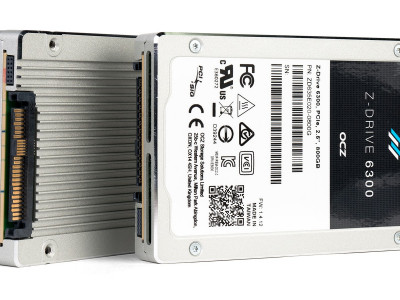
- Disks: SSD only, preferably NVMe. HDD under a 1C database guarantees user complaints.
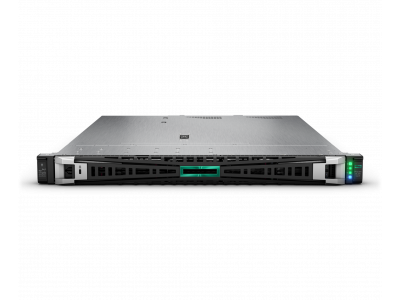
- Platform: HPE ProLiant DL320 Gen11, DL360 Gen11 or Dell PowerEdge R660 for a small or mid-sized company. Tower ML30 Gen10 / ML110 if there is no rack at all.
Virtualization host
Here everything is the other way round: cores and memory capacity matter most. Memory almost always runs out before the processor does.
- CPU: two sockets with a high core count. Mind the hypervisor licensing model: it is often priced per core and affects the total cost more than the hardware.
- Memory: the key resource. Populate all channels and keep at least 30 % headroom.
- Storage: either an external storage array or local NVMe drives for a hyperconverged setup.
- Network: at least two 10GbE ports, preferably 25GbE. Separate management, production and storage traffic.
- The N+1 rule: the cluster must survive the failure of one node without degradation. Size cluster resources with this reserve, otherwise a node failure will stop some virtual machines.
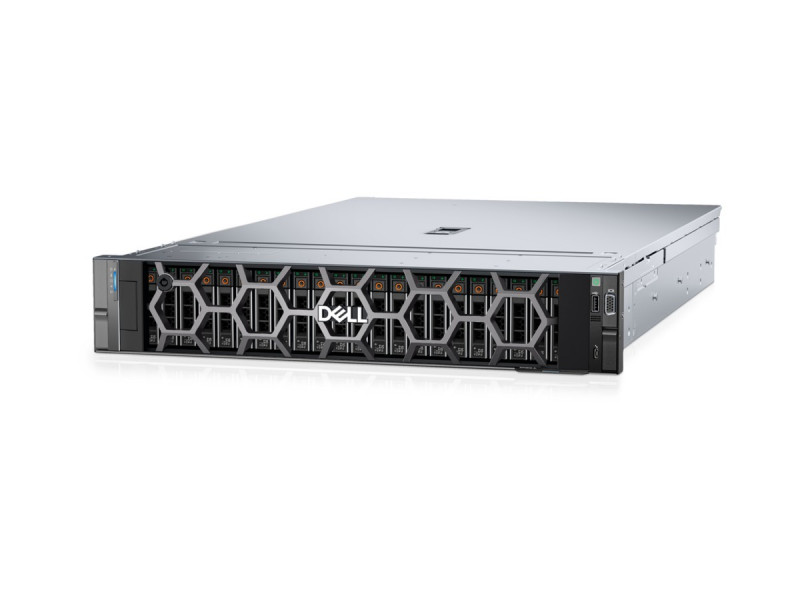
- Platform: HPE ProLiant DL380 Gen11 / DL360 Gen11, Dell PowerEdge R760 / R660.
File server and backup
This task comes down to capacity and reliability, not to the processor.
- CPU: entry-level models; one socket is enough.
- Disks: many bays and large SATA/SAS drives. For backup copies, HDDs remain economically justified.
- RAID: RAID 6 or RAID 60 for large drives. RAID 5 on high-capacity disks is dangerous: a second drive failing during a rebuild means total data loss.
- Platform: DL380 Gen11 in a 12 LFF-bay configuration, Dell PowerEdge R760xd2.
- Important: a backup stored on the same server as production is not a backup. It needs a separate site, or at least a separate device.
Database server
- Disks: NVMe and nothing else. The disk subsystem is the main bottleneck of any DBMS.
- Memory: as much as the budget allows. The active part of the database must live in RAM.
- CPU: depends on DBMS licensing. Several commercial systems are licensed per core, and “spare” cores end up costing more than the server itself.
- Fault tolerance: two machines and replication. A single server under a critical database is an accepted risk of downtime while it is being repaired.
Three things people forget
Power and cooling. A dual-socket server under load draws noticeably more than the datasheet suggests. Check UPS and cooling headroom before the purchase, not after.
Vendor support. A 3-year warranty with next-business-day response and a “bring it to the service centre” warranty are very different levels of service availability.
Expandability. Free memory slots and drive bays are the cheapest insurance against a mistake in the load forecast.
Describe your task at info@itsmart.uz or via Telegram: we will select a configuration, price both new and refurbished options, and help with installation and setup.
Related guides and tools: Server for 1C, Virtualisation server, File server and backup server, Dell PowerEdge.