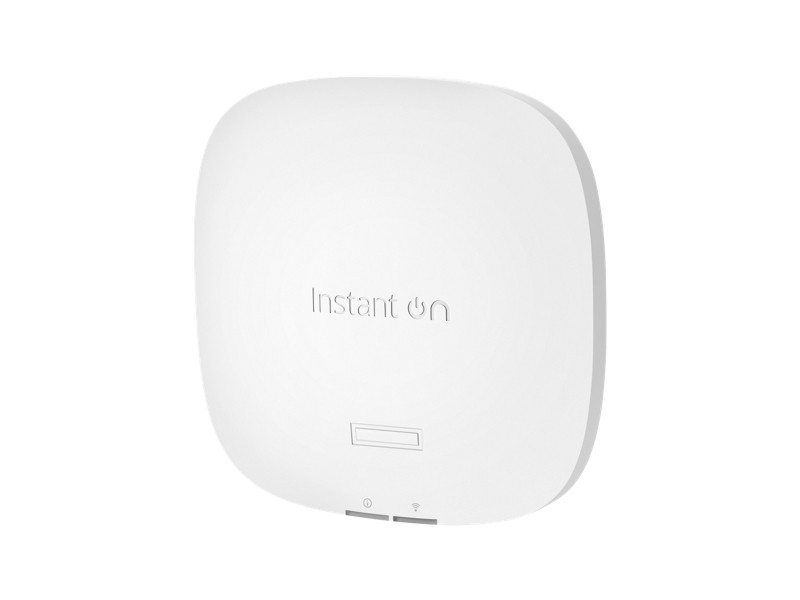
HPE Aruba Instant On access points answer a problem small and mid-sized companies run into regularly: the business needs proper corporate Wi-Fi, but there is neither a controller in the budget nor a full-time network engineer on staff. Here is how the line works and where its limits sit.
The key difference: no controller
A classic enterprise wireless network needs a separate controller appliance that manages the access points. That means extra cost, an extra point of failure and a specialist to run it.
Instant On works differently: the access points form a cluster on their own and one of them takes the management role. Administration happens through a web portal or a mobile app. Bringing up a network of several access points takes about as long as physically mounting them.
What that gives you in practice
- Seamless roaming. An employee walks across the office on a call and the device moves between access points without dropping it.
- Separate networks. Corporate access, a guest network and a network for devices, isolated from each other. Guest Wi-Fi has no business seeing internal resources, and here that is a pair of switches in the interface.
- Guest portal. A landing page with the company logo, a time limit and its own password.
- Bandwidth control. Per-client rate limits and priority for business applications over entertainment traffic.
- Scheduling. The guest network switches itself off outside working hours.
- PoE power. One twisted pair per access point carries both power and data, so no sockets are needed near the ceiling.
How many access points you need
The most common planning mistake is counting floor area. What matters is the number of devices working at the same time, and the walls between them.
- One access point per open area with up to 20 to 25 active clients is a workable rule for office traffic.
- Concrete walls and lift shafts cut the signal hard. A layout of separate rooms needs noticeably more access points than an open plan floor of the same size.
- Meeting rooms with video calls get their own access point. Several parallel video calls create a load that office email traffic never approaches.
- Remember that each employee brings two or three devices, not one: laptop, phone, sometimes a tablet.
It is cheaper to install one extra access point than to deal later with complaints that the internet drops in the far corner.
About the switches
Access points need PoE power. The Instant On family includes 1830 and 1930 switches with PoE, managed from the same interface as the access points, so the whole office network lives in one panel. Always check the total PoE budget of the switch: eight PoE ports do not mean all eight can carry an access point at full load. Model-by-model budgets and prices are collected in our guide to Aruba Instant On for the office.
Where Instant On is not the answer
This is a solution for offices, retail, cafes, small production sites and hotels. It is deliberately simplified. If you need:
- 802.1X authentication with a corporate RADIUS server and certificates,
- fine-grained radio frequency planning across a large site,
- hundreds of access points under one central policy,
- integration with a network access control system,
then the task belongs to the enterprise Aruba line with a controller or with Aruba Central cloud management. There is no point squeezing enterprise features out of Instant On; look at the right class of hardware from the start.
Summary
Instant On is a balanced choice wherever reliable Wi-Fi is needed without a dedicated administrator and without a controller in the budget. Compact hardware, sensible pricing, stable coverage and setup that a general system administrator can handle.
We will size the number of access points for your floor plan and pick switches with the right PoE budget: write to info@itsmart.uz, use Telegram or the contacts page.
Related guides and tools: PoE calculator.